


I'm completely new to the world of PIC Microcontrollers and electrical engineering so please go easy
Anyway, I managed to program my PIC 16f627 to turn on three LEDs when push button (trigger button) is pressed and start a shut down sequence (basically each LED toggles off one after another with a 5 second delay in between) when another pushbutton is pressed (reset button). I've been testing this on a Velleman's K8048 PIC Programmer/ Experimentation board. 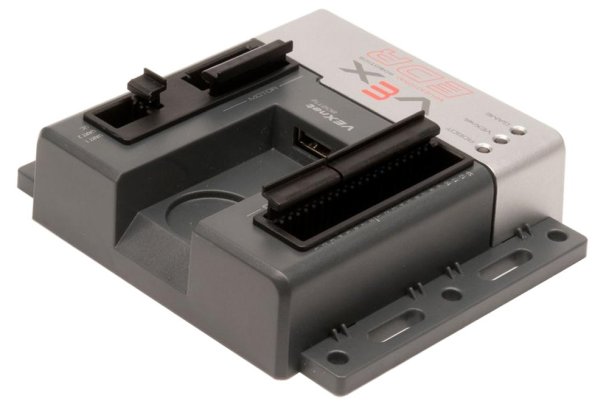 PINs RA0 and RA2 are the inputs for the trigger and reset pushbuttons respectively while pins RB0, RB1, and RB2 are the output pins for the LEDs.
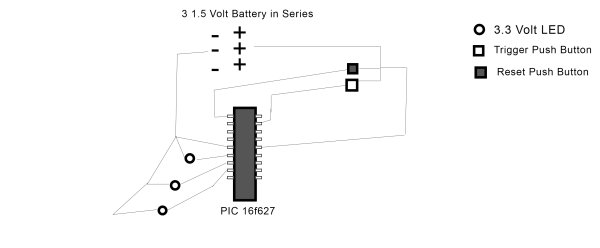
Working with the experimentation board is great but I want to move this to an actual circuit. The problem is I have no idea where to start. I've bought 3 LEDs (3.3 Volts each), some pushbuttons, and wire and I've constructed the following circuit:
(sorry for the horrendous schematic)
In the circuit I constructed, I first tested to see if the LEDs would work with 3 1.5 Volt AA batteries and they worked fine so I figured resisters wouldn't be necessary.
This does not work, however, and I'm totally lost. For reference, here is my code for the PIC. Its written in C using MikroC. It works on the experimentation board so I don't think its a problemvoid main() {
TRISB.RB0 = 0;
TRISB.RB1 = 0;
TRISB.RB2 = 0;
PORTB.RB0 = 0;
PORTB.RB1 = 0;
PORTB.RB2 = 0;
CMCON = 0x07;
TRISA = 255;
for(;;){
if(PORTA.RA0 == 1 && PORTB.RB0 == 1 && PORTB.RB1
== 1 && PORTB.RB2 == 1){
delay_ms(5000);
PORTB.RB0 = 0;
delay_ms(5000);
PORTB.RB1 = 0;
delay_ms(5000);
PORTB.RB2 = 0;
}
if(PORTA.RA2 == 1){
PORTB.RB0 = 1;
PORTB.RB1 = 1;
PORTB.RB2 = 1;
}
}
}
For more detail: How to Wire a PIC Microcontroller?
Related projects
PIC microcontroller power supply circuit by Chayapol
This is 5V portable power supply circuit for pic microcontroller experiments. or PIC microcontroller power supply circuit. As The PIC16F627A microcontroller use...
LED Projects · PIC16F627A6 Digits LED 7-Segment Multiplexing using PIC16F627A
In the post 'LED 7-Segment Multiplexing', I have explained about the concept and benefits of multiplexing. Multiplexing implementation is very similar to...
LED Projects · PIC16F627ABinary/bcd to 7-segment decoder for PIC16F627A
Overview This is a building block project I developed to try out a few ideas. It decodes a 4-bit binary word to...
Programmers & ICSPCalculator Test using PIC24FJ64GA006 with Proteus Simulation
Introduction The Calculator Test using EASYHDL is a practical microcontroller project built on the PIC24FJ64GA006 and simulated in Proteus. This project demonstrates...
Programmers & ICSPPID Controlled Oven using TMS320F28027PT with Proteus Simulation
IntroductionThis project demonstrates a PID controlled oven implemented using a PICCOLO TMS320F28027PT microcontroller and verified through Proteus simulation.It is a practical microcontroller...
Programmers & ICSPPICCOLO Motor Controller Sample Design using TMS320F28023PT with Proteus Simulation
IntroductionThis project demonstrates a PICCOLO motor controller sample design implemented using the TMS320F28023PT Piccolo microcontroller and tested through Proteus simulation. It focuses...

Ibrar Ayyub
I am an experienced technical writer holding a Master's degree in computer science from BZU Multan, Pakistan University. With a background spanning various industries, particularly in home automation and engineering, I have honed my skills in crafting clear and concise content. Proficient in leveraging infographics and diagrams, I strive to simplify complex concepts for readers. My strength lies in thorough...