


Summary of DHT11 Low Cost Humidity Sensor using PIC16F628A with Proteus Simulation
This project shows interfacing a DHT11 temperature and humidity sensor with a PIC16F628A in Proteus VSM. The PIC sends a start pulse on RA0, uses Timer2 to measure DHT11 pulse widths, reads five data bytes, verifies checksum, and displays temperature and humidity on a 16×2 LCD every second. The setup is suitable for educational labs, DIY monitoring, and prototyping.Parts used in the DHT11 Low Cost Humidity Sensor using PIC16F628A with Proteus Simulation:
- PIC16F628A microcontroller
- DHT11 temperature & humidity sensor
- 16×2 LCD (LM016L)
- 4 MHz crystal oscillator
- 22 pF capacitors (for oscillator)
- 4.7 kΩ pull-up resistor
- Power supply (VDD / GND)
Introduction
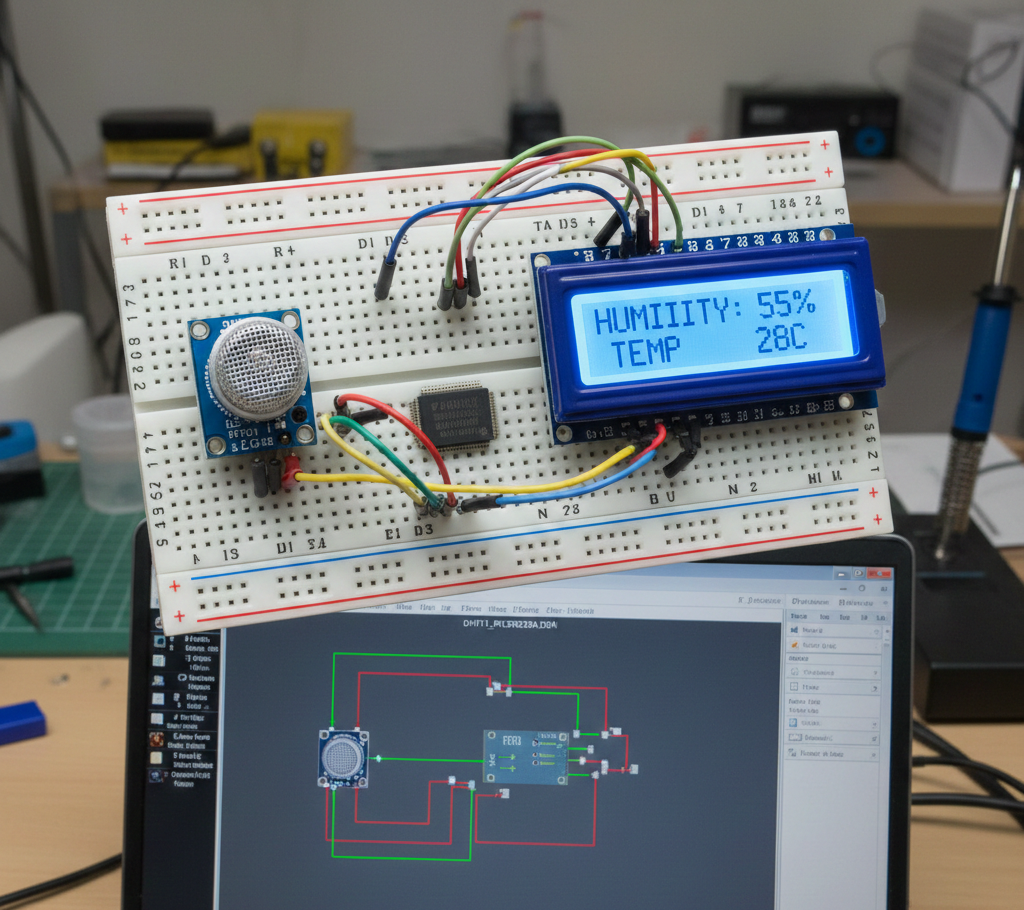
This microcontroller project demonstrates how to interface a low-cost DHT11 temperature and humidity sensor with a PIC16F628A using a Proteus simulation environment.
The project reads digital temperature and relative humidity data and displays it on a 16×2 LCD.
It is a practical example of working with timing-sensitive digital sensors in embedded systems.
Using a simple circuit and clear firmware logic, this project is ideal for learning sensor interfacing.
It fits well into DIY electronics, educational labs, and beginner-to-intermediate PIC projects.
How the Project Works (Overview)
The PIC16F628A communicates with the DHT11 sensor over a single digital data line.
A start signal is generated by the microcontroller, after which the sensor responds with temperature and humidity data encoded as timed pulses.
Timer2 is used to measure pulse widths and determine whether each transmitted bit is a logic 0 or 1.
Once valid data is received and verified using a checksum, the temperature and humidity values are formatted and shown on the LCD.
Block Diagram / Workflow Explanation
PIC16F628A initializes LCD and Timer2
Start signal sent to DHT11 via RA0
DHT11 responds with synchronization pulses
PIC reads 5 data bytes (humidity, temperature, checksum)
Checksum is verified
Valid data displayed on 16×2 LCD
Process repeats every second
Key Features
Digital temperature and humidity sensing using DHT11
Single-wire sensor communication
Timer-based pulse width decoding
Checksum validation for data integrity
Real-time LCD display output
Fully simulated using Proteus VSM
Components Used
PIC16F628A microcontroller
DHT11 temperature & humidity sensor
16×2 LCD (LM016L)
4 MHz crystal oscillator
22 pF capacitors (oscillator)
4.7 kΩ pull-up resistor
Power supply (VDD / GND)
Applications
Room temperature and humidity monitoring
Educational embedded systems labs
Weather station prototypes
Home automation sensor nodes
Environmental monitoring projects
Explanation of Code (High-Level)
The firmware starts by configuring ports, disabling analog inputs, and initializing the LCD.
A start signal function pulls the data line low to request data from the DHT11.
The response check function ensures the sensor replies within a valid timing window.
Each byte is read by measuring how long the data line stays high using Timer2.
After reading humidity and temperature bytes, a checksum confirms data accuracy.
Finally, values are converted to ASCII and displayed on the LCD.
Source Code
Download#include
#include
#include "lcd.h"
#define _XTAL_FREQ 4E6
#pragma config BOREN = ON, CPD = OFF, FOSC = HS, MCLRE = ON, WDTE = OFF, CP = OFF, LVP = OFF, PWRTE = OFF
#define Data PORTAbits.RA0
#define DataDir TRISAbits.TRISA0
char message1[] = "Temp = 00.0 C";
char message2[] = "RH = 00.0 %";
unsigned short TOUT = 0, CheckSum, i;
unsigned short T_Byte1, T_Byte2, RH_Byte1, RH_Byte2; Complete Source Code
Proteus Simulation
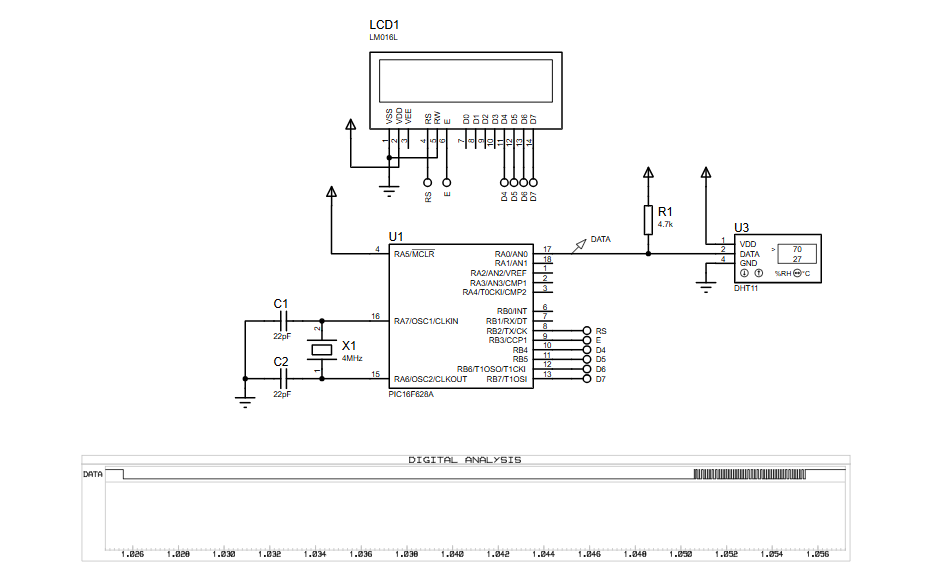
In Proteus VSM, the PIC16F628A, DHT11 sensor, and LCD operate exactly as real hardware.
The simulation shows correct pulse timing on the data line and real-time updates on the LCD.
Timer-based decoding ensures stable readings even in a virtual environment.
(FAQs)
Conclusion
This project is a clean and practical example of interfacing a digital sensor with a PIC microcontroller.
It combines timing control, data validation, and LCD display handling in a single embedded system.
Perfect for learning Proteus simulation, sensor protocols, and real-world firmware design using PIC16 devices.
Comlete File
DHT11 Low Cost Humidity Sensor using PIC16F628A with Proteus Simulation
Quick Solutions to Questions related to DHT11 Low Cost Humidity Sensor using PIC16F628A with Proteus Simulation:
- How does the PIC communicate with the DHT11 sensor?
The PIC uses a single digital data line on RA0, sending a start signal and then reading timed pulses from the DHT11. - Why is Timer2 used in this project?
Timer2 measures pulse widths from the DHT11 to distinguish between logic 0 and 1. - Can this code run on real hardware?
Yes, the same firmware works on physical PIC16F628A hardware according to the article. - Why is a pull-up resistor required on the data line?
The DHT11 uses an open-drain output and requires a pull-up resistor for correct logic levels. - What causes No response from the sensor?
Incorrect timing, wiring issues, or a missing pull-up resistor can cause no response. - Can another PIC16 device be used for this project?
Yes, another PIC16 device can be used with minor pin and configuration changes. - Why is checksum verification important?
Checksum verification ensures the received temperature and humidity data is valid. - How often does the sensor update in this firmware?
The firmware reads data once every second.
Related projects
Frequency Counter by PIC16F628
In this project we are building a basic and low cost frequency counter circuit . It can measure from 16Hz to 100Hz...
Games, Toys & Calculators · PIC16F628ATIC TAC TOE game using PIC16F628
This project is not to introduce Tic Tac Toe. Everyone knows this game. It's to introduce two features. Bi-coloured LEDs, microcontrollers and...
Beginner Tutorials · PIC16F1827Breadboard module for 18-pin PIC16F microcontrollers (PCB version)
Because of their compact size, ease of use and many built-in peripherals, the 18-pin PIC16F series processors (PIC16F628A, PIC16F88, and now PIC16F1827/47)...
Programmers & ICSPCalculator Test using PIC24FJ64GA006 with Proteus Simulation
Introduction The Calculator Test using EASYHDL is a practical microcontroller project built on the PIC24FJ64GA006 and simulated in Proteus. This project demonstrates...
Programmers & ICSPPID Controlled Oven using TMS320F28027PT with Proteus Simulation
IntroductionThis project demonstrates a PID controlled oven implemented using a PICCOLO TMS320F28027PT microcontroller and verified through Proteus simulation.It is a practical microcontroller...
Programmers & ICSPPICCOLO Motor Controller Sample Design using TMS320F28023PT with Proteus Simulation
IntroductionThis project demonstrates a PICCOLO motor controller sample design implemented using the TMS320F28023PT Piccolo microcontroller and tested through Proteus simulation. It focuses...

Ibrar Ayyub
I am an experienced technical writer holding a Master's degree in computer science from BZU Multan, Pakistan University. With a background spanning various industries, particularly in home automation and engineering, I have honed my skills in crafting clear and concise content. Proficient in leveraging infographics and diagrams, I strive to simplify complex concepts for readers. My strength lies in thorough...