
Summary of Frequency Detector using PIC 12F683 Processor
This article details a hardware and software project using a PIC 12F683 microprocessor to detect specific frequencies in analog signals like audio. The circuit utilizes an internal A/D converter and a digital signal processing algorithm to identify target tones between 100Hz and 2148Hz. Users can set the frequency and detection threshold via voltage dividers connected to specific pins, making it suitable for remote controls or musical note detection.
Parts used in the Frequency Detector using PIC 12F683 Processor:
- PIC 12F683 Microprocessor
- Resistors (R1 through R6)
- Capacitors (C1 and C2)
- +5V Regulated Power Supply (e.g., LM7805)
- PIC Programmer (e.g., from Micro Engineer Labs)
- Audio Generator (PC, CD player, or MP3 player)
- Breadboard
Frequency Detector using PIC 12F683 Processor
Such a circuit can be used to detect the presence of a certain frequency within an analog signal, such as an audio signal. I could be used in remote control applications, or to detect musical notes, or for any other situation where a specific frequency must be detected in a signal that may contain other frequencies or noise.
The circuit is based an 8 pin PIC 12F683 microprocessor. Only a few additional resistors and capacitors are needed to complete a circuit that will accept an analog signal and drive a microprocessor output pin high when the selected frequency is present in the signal. The circuit can be used as a frequecy detector IC that is part of some larger circuit of the users design.
The steps that follow detail the operation of the circuit and the program that runs on the processor. A description of the digital signal processing algorithm used by the PIC is included, but it is not necessary to understand it to make use of this circuit.
The code for programming the processor is included as a *.hex file. The source code *.asm file is also provided, to allow a user that is familiar with the Microchip PIC assembly language to modify the program. These files can be found under the step titled “Source Code”.
The operation of the circuit and the function of each component is described in the section that covers the schematic.
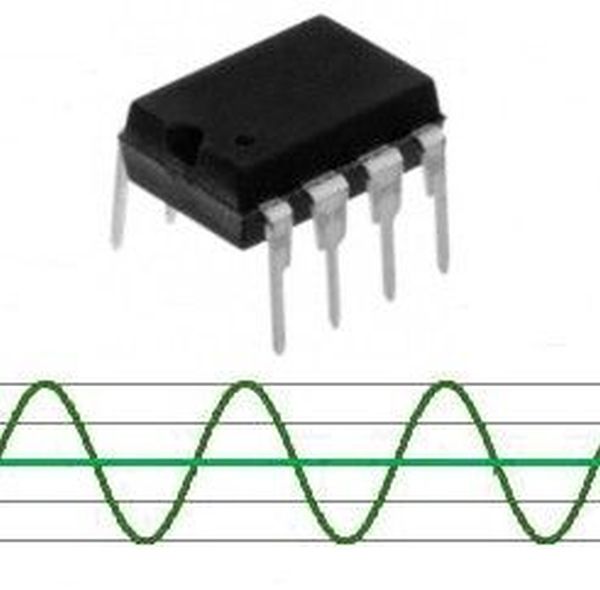
Step 1: Parts and Tools
This circuit can easily be built on a solder less breadboard. The components are widely available at low cost from a number of sources, such as DigiKey, Mouser, Jameco, etc. that you may already be familiar with if you work with electronics.
You will need a programmer for PIC microprocessors. I have seen instructions on this site for building your own programming device, but I cannot speak for any of them. The programmer I use is from a company called Micro Engineer Labs, Inc. at http://www.melabs.com.
It is also handy to have an audio generator of some sort, for testing and experimentation. This can be as simple as a connection to the line out of a PC, CD player, MP3 player, etc.
For example, to verify that the circuit works to detect a certain frequency, just play a file containing that frequency, with the audio output of the playback device connected to the input of the circuit.
A useful program for generating sound files can be downloaded for free at http://www.goldwave.com. This program allows you to create *.wav files containing specific tones, sweeps, etc. very easily.
Schematic and Circuit Description
The connection labeled +5V must connect to a regulated 5V power supply, such as the output of LM7805 regulator circuit.
The A/D converter measures voltages between 0V and the supply voltage VDD, which is usually 5 volts. The analog input may be a signal that swings above and below 0 volts, so its waveform will have positive and negative portions. In order to sample the input waveform with the A/D converter, the input signal needs to be shifted. The voltage divider created by resistors R1 and R2 sets the bias at half of the 0 to VDD A/D input range. The capacitor C1 couples the AC input signal to the A/D input, so now the input waveform swings about ½ VDD instead of swinging about 0 volts, as shown in the graphs below.
R3 and R4 form a voltage divider used to set the target frequency. The processor reads the voltage at the frequency select pin and uses the value to determine the correct coefficients needed by the algorithm to determine if the target frequency is present.
R5 and R6 form a voltage divider used to set detection threshold. This allows the user to select the magnitude of the algorithm output that is necessary to make the program turn the output HIGH. The processor reads the voltage at the detection threshold pin and uses the value to determine the detection threshold.
C2 is a decoupling capacitor used with the microprocessor to keep the VDD supply free of spikes.
Step 3: Microprocessor Pin Functions
The functions of the pins on the microprocessor U1 are as follows:
1) VDD. Power supply input. Apply a regulated +5V to this pin
2) Serial Output. This pin outputs the results of the frequency detection algorithm. Additional circuitry is needed to convert to RS-232 levels if the output is to me monitored by a PC serial port.
3) Detection Threshold Setting. The voltage on this pin determines the minimum target signal amplitude need to make the frequency detection output (pin 5) go high.
4) Target Frequency Select Enable. This pin is brought low if the target frequency needs to be changed after processor startup. Otherwise, keep it tied high to maintain the current target frequency setting.
5) Frequency Detection Output. This pin goes high if the magnitude of target frequency is greater than the detection threshold set by pin 3. It is high as long as the target frequency is present and its magnitude is above the detection threshold.
6) Target Frequency Select. The input voltage on this pin is used to determine the target frequency to be detected.
7) Audio Input. This is analog input which is sampled by the microprocessors internal analog to digital converter. This pin must be biased at ½ VDD so that the audio waveform can be sampled by the analog to digital converter.
8) VSS. Connect this pin to ground.
Target Frequency Selection
The target frequency is selected by means of a voltage applied to the frequency select input.
The voltage on this input is ready by the microprocessors A/D converter, and from this reading the program configures itself to decode the corresponding frequency. The frequency range that can be decoded is between 100Hz and 2148Hz.

The program always reads the target frequency select input after power up. After that, the target frequency select input is ignored, unless the target frequency select input enable is brought low. So, to make changes to the target frequency during program operation, the enable input must be low. It needs to be kept low for at least 100ms, as the input is checked at the beginning of the program loop. Once the input is brought high again, the program will ignore the target frequency select input, and the target frequency in effect will be that established while the enable pin was low.
A voltage divider is used to set the correct input voltage on the pin to select the desired target frequency. The voltage needed to set a desired frequency can be calculated as follows:
V_target_frequency_select_input = VDD*(Target_Frequency -100)/ 2048
VDD is the power supply voltage (usually 5 Volts). The valid range of frequencies for the program as written is 100Hz to 2148 Hz.
So, for a target frequency of 1000Hz, and VDD of 5 Volts, the voltage applied to the frequency select input should be:
V_target_frequency_select_input = 5*(1000 -100)/ 2048 = 2.2 volts
The graph below shows the target frequency selected versus voltage on the target frequency select input for a VDD of 5 volts.
The easiest way to set the voltage is using a voltage divider, as shown in the schematic. The voltage at the output of a voltage divider is:
Vout=VDD*[R4/(R3+R4)]
The exact values of the resistors is not critical, only the ratio of their values. However, to prevent noise from upsetting the frequency select input, it is best to choose lower resistor values. As a rule of thumb, select values that are both less than 100k Ohms.
Also, a potentiometer can be used in place of fixed resistors, to provide the ability to change or adjust the target frequency. Use a potentiometer with a resistance of less than 100k Ohms.
For more detail: Frequency Detector using PIC 12F683 Processor
- What is the primary function of this circuit?
The circuit functions as a single frequency detector or tone decoder that identifies a specific frequency within an analog signal. - How is the target frequency selected?
The target frequency is selected by applying a specific voltage to the frequency select input pin, which the processor reads via its A/D converter. - Can the target frequency be changed while the program is running?
Yes, provided the Target Frequency Select Enable pin is brought low for at least 100ms before changing the voltage on the select pin. - What is the valid frequency range for this project?
The program can decode frequencies ranging from 100Hz to 2148Hz. - How do I calculate the voltage needed for a specific frequency?
Use the formula V_target_frequency_select_input = VDD*(Target_Frequency -100)/ 2048 where VDD is usually 5 Volts. - What is the role of resistors R5 and R6?
R5 and R6 form a voltage divider used to set the detection threshold magnitude required to make the output pin go high. - Why are capacitors C1 and C2 included in the design?
C1 couples the AC input signal to bias it correctly for the A/D converter, while C2 acts as a decoupling capacitor to keep the supply free of spikes. - What tools are necessary to build and test this circuit?
You need a PIC programmer, a breadboard, and an audio generator such as a PC or MP3 player to test the frequency detection.
