
Summary of Software UART (SoftUART) using TMS320F28027 Piccolo with Proteus Simulation
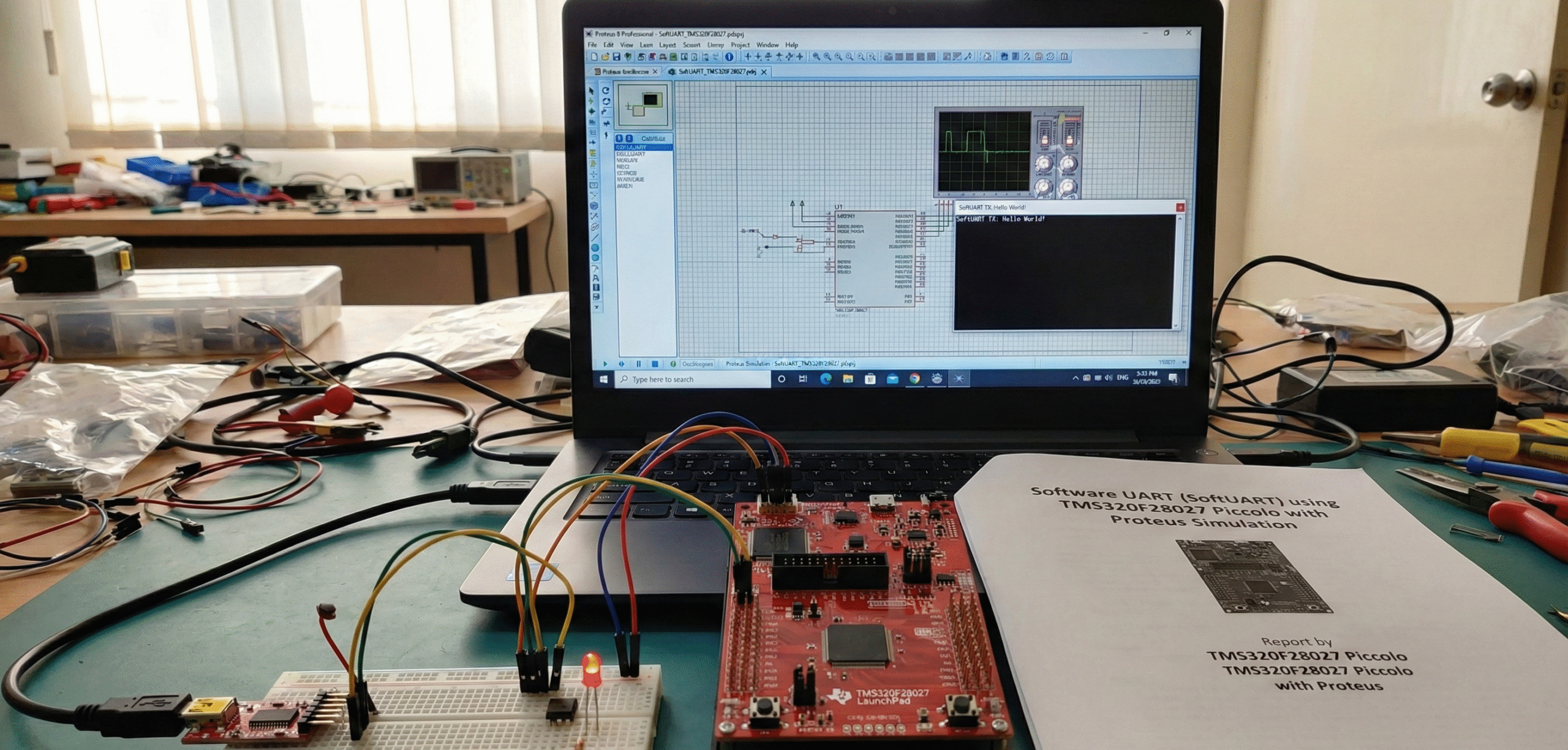
Summary (under 100 words): This SoftUART project implements a 9600‑baud UART entirely in software on the TMS320F28027 Piccolo using CPU Timer1 interrupts and GPIO bit‑banging. It supports transmit and receive (with optional parity), sends "Hello, world!n" at startup, and echoes received characters incremented by one. The design is demonstrated and debugged in Proteus VSM, showcasing timer-driven ISR handling, GPIO configuration, and a practical educational example for embedded systems without hardware UART peripherals.
Parts used in the SoftUART project:
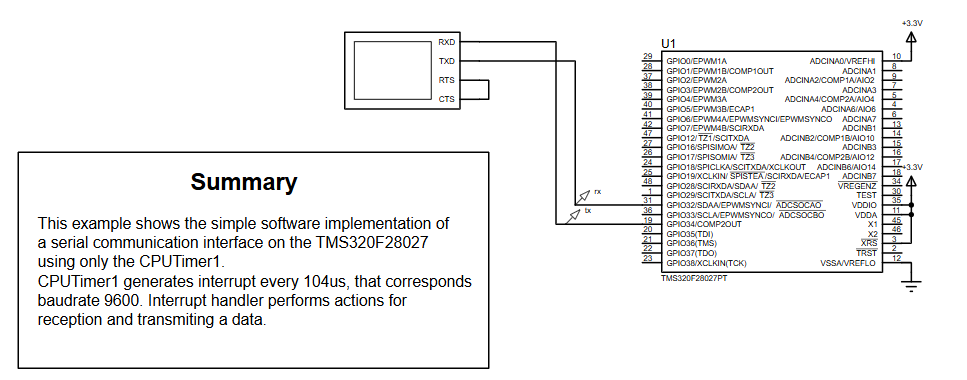
- TMS320F28027PT Piccolo Microcontroller
- GPIO32 (configured as UART RX)
- GPIO34 (configured as UART TX)
- CPU Timer1 (for 104 µs interrupts / 9600 baud timing)
- 3.3V power supply
- Proteus Virtual Terminal (Proteus VSM)
- TI support libraries: InitSysCtrl, InitPieVectTable, InitCpuTimers, ConfigCpuTimer
- Does this project use the hardware UART of the TMS320F28027?
No — all TX and RX operations are implemented in software using GPIO pins and timer interrupts. - How is baud rate accuracy achieved without hardware UART?
CPU Timer1 triggers every 104 microseconds, providing precise timing for each UART bit at 9600 baud. - Can I change the baud rate?
Yes. Modify the timer period in ConfigCpuTimer and adjust bit timing accordingly. - Why is GPIO34 initially set to logic HIGH?
UART idle line state is high, so TX must start in that condition. - Can this SoftUART send and receive at the same time?
Partially. It is interrupt-driven and can handle simple full-duplex communication. - Why does the main loop echo back character plus 1?
It is a basic demonstration showing that RX works and TX responds dynamically by sending the next ASCII character. - Can this firmware run on real hardware?
Yes — as long as timing and GPIO assignments match the hardware setup. - How do I test this in Proteus?
Connect GPIO32 and GPIO34 to a Virtual Terminal and run the simulation; the terminal shows Hello, world! and accepts input to trigger RX flow. - Can parity be enabled?
Yes — the code supports odd or even parity via the has_parity field. - What if characters appear corrupted?
Check timer settings, interrupt frequency, and wiring in Proteus.
