


Summary of 7 Segment Clock With Temperature Display [ds18b20 and 5 Digit Display]
This article details the construction of a PIC16F877A-based 5-digit seven-segment clock featuring temperature display and time adjustment. The project utilizes a DS18B20 sensor for high-precision temperature readings and a DS1307 RTC for accurate timekeeping. Users can toggle between time and temperature views, with audio notifications for alarms and key presses. The build includes assembling a display panel using common anode LEDs and resistors, connecting the main board, and integrating switches for easy configuration via a four-button interface.Parts used in the 5 Digit Seven Segment Clock:
- PIC16F877A micro-controller
- DS18B20 temperature sensor
- DS1307 RTC chip
- 4 micro switches
- Buzzer
- BC558 transistors (5 units)
- 330 Ohm resistors (10 units)
- Common anode seven segment LED displays (5 units)
- Acrylic sheet
5 digit seven segment clock with temperature display.
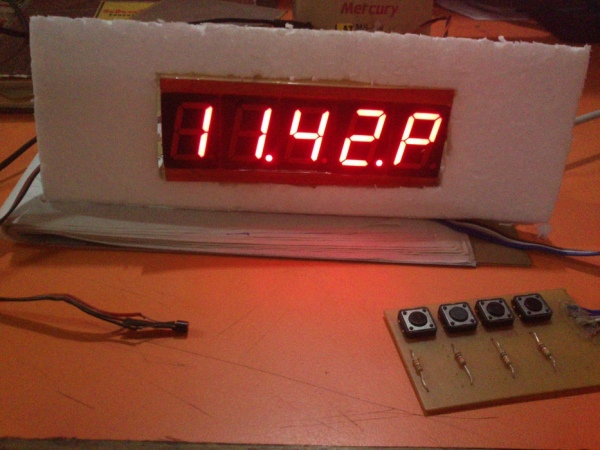
PIC16F877A based clock
1, High-precision temperature sensor ds18b20
2, ds1307 RTC
3, 4 switches, easy time adjust option
4, alternating temperature and time display method
5, pic16f877a micro-controller
6, half hour notification - single beep
7, hour notification - double beep
8, buzzer notification for key press
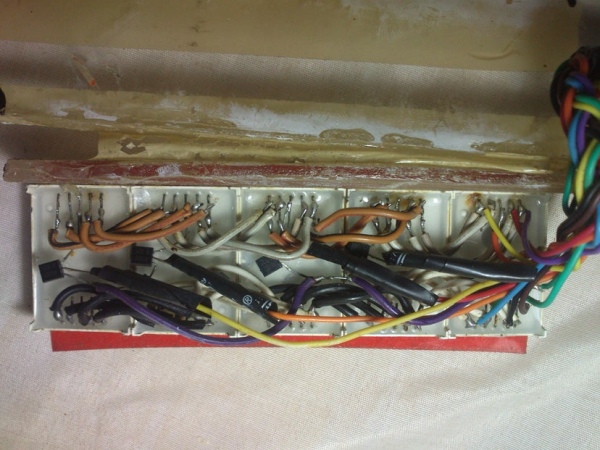
Step 1: Display Panel
Step 2: Display Panel Circuit Diagram
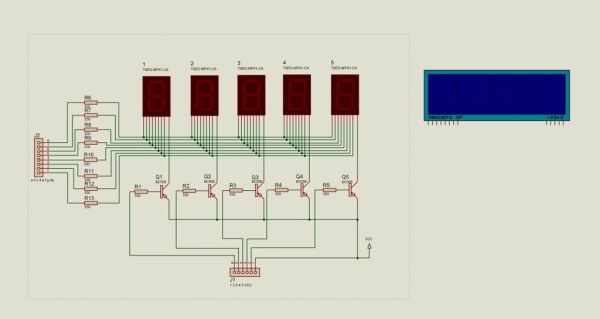
components
1, BC 558 -5
2, resistors 330 Ohm - 10
3, common anode seven segment LED display - 5
4, acrylic sheet
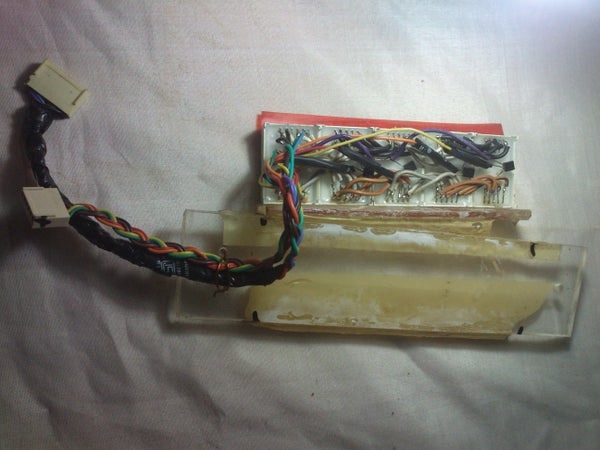
Step 3: Assembling Steps - Display Unit
Step 4: Assembling Steps - Main Board
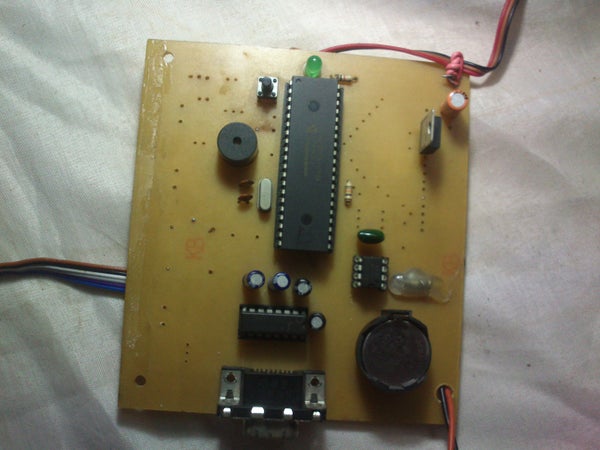
Step 5: Sensor ,keyboard and RTC Chip
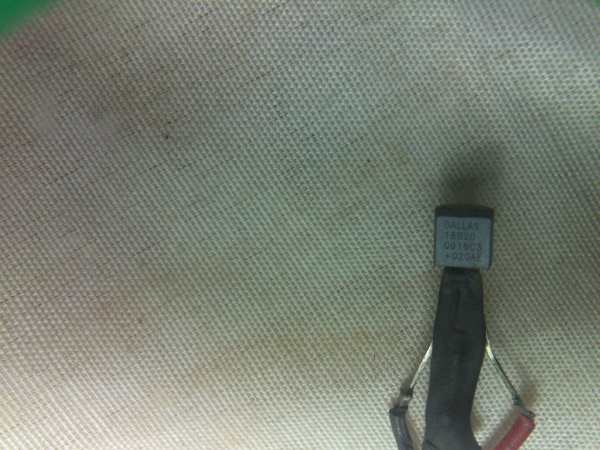
ds18b20 sensor
http://datasheets.maximintegrated.com/en/ds/DS18B20.pdf
ds1307 RTC
http://datasheets.maximintegrated.com/en/ds/DS1307.pdf
Overview of 1-Wire Technology and Its Use
By: Bernhard Linke, Principal Member Technical Staff
Jun 19, 2008
Abstract:This article provides a general overview of the 1-Wire® technology, its communication concept and, as a benefit of the low pin count, unusual package options. The main section discusses 1-Wire devices by their feature set and explains the typical applications. The article ends with practical information on how to evaluate 1-Wire devices, explains device customization options, and references resources that assist customers in integrating 1-Wire technology in their systems.
What Is 1-Wire Technology?
The basis of 1-Wire® technology is a serial protocol using a single data line plus ground reference for communication. A 1-Wire master initiates and controls the communication with one or more 1-Wire slave devices on the 1-Wire bus (Figure 1). Each 1-Wire slave device has a unique, unalterable, factory-programmed, 64-bit ID (identification number), which serves as device address on the 1-Wire bus. The 8-bit family code, a subset of the 64-bit ID, identifies the device type and functionality. Typically, 1-Wire slave devices operate over the voltage range of 2.8V (min) to 5.25V (max). Most 1-Wire devices have no pin for power supply; they take their energy from the 1-Wire bus (parasitic supply).
What Is Special About 1-Wire?
1-Wire is the only voltage-based digital system that works with two contacts, data and ground, for half-duplex bidirectional communication. In contrast to other serial communication systems such as I²C or SPI, 1-Wire devices are designed for use in a contact environment. Either disconnecting from the 1-Wire bus or a loss of contact puts the 1-Wire slaves into a defined reset state. When the voltage returns, the slaves wake up and signal their presence. With only one contact to protect, the built-in ESD protection of 1-Wire devices is extremely high. With two contacts, 1-Wire devices are the most economical way to add electronic functionality to nonelectronic objects for identification, authentication, and delivery of calibration data or manufacturing information.
ds1307 Key Features
Real-Time Clock (RTC) Counts Seconds, Minutes, Hours, Date of the Month, Month, Day of the week, and Year with Leap-Year Compensation Valid Up to 2100
56-Byte, Battery-Backed, General-Purpose RAM with Unlimited Writes
I²C Serial Interface
Programmable Square-Wave Output Signal
Automatic Power-Fail Detect and Switch Circuitry
Consumes Less than 500nA in Battery-Backup Mode with Oscillator Running
Optional Industrial Temperature Range: -40°C to +85°C
Available in 8-Pin Plastic DIP or SO
Underwriters Laboratories (UL) Recognized
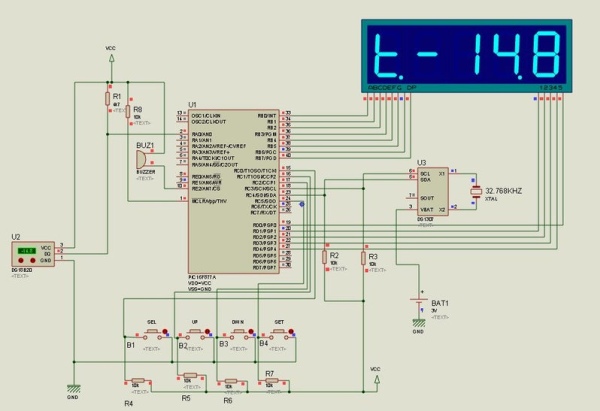
Step 6: Circuit Diagram
Step 7: How to Adjust Time
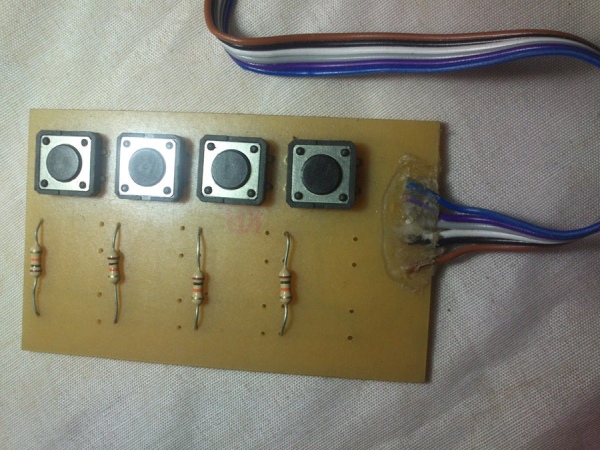
there are 4 micro switch
SEL/EXIT [selection or Exit ]
Up [increment ]Down [Decrement]Set [Update the last change]
step 1: wait for the time display [ switches function disabled at time display mode ]
step 2:
step 2.a
Press the SEL/EXIT switch
hour option selected [Up and Down button for hour ] step 2.b
Press again the SEL/EXIT switch
minute option selected [Up and Down button for minute ] step 2.c
Press again the SEL/EXIT switch
AM/PM option selected [Up and Down button for AM/PM selection ]
step 2.d
Press again the SEL/EXIT switch
it cancel the change and exit from updating mode
if you want to save the change don't press the SEL/EXIT button
step 3: SET Button
update the last change
Step 8: Working Video
Step 9: Hex File Download
hex file rtc_temp_clock.hex
crystal 20 MHz | watch dog timer off | code protection off
Attachments
Source: 7 Segment Clock With Temperature Display [ds18b20 and 5 Digit Display]
Quick Solutions to Questions related to 5 Digit Seven Segment Clock:
- What components are required for the display panel?
The display panel requires five BC558 transistors, ten 330 Ohm resistors, five common anode seven segment LED displays, and an acrylic sheet. - How does the system handle time adjustments?
Time is adjusted using four micro switches labeled SEL/EXIT, Up, Down, and Set to select hours, minutes, or AM/PM and update changes. - Can the device notify users about specific times?
Yes, the clock provides a single beep for half-hour notification and a double beep for hour notification. - What technology does the DS18B20 use for communication?
The DS18B20 uses 1-Wire technology, which relies on a single data line plus ground reference for serial communication. - Does the DS1307 RTC require an external power supply pin?
No, most 1-Wire devices like the DS1307 do not have a dedicated power supply pin and take energy from the bus via parasitic supply. - How can users switch between time and temperature modes?
The project features an alternating display method that allows users to view both temperature and time on the same screen. - What happens when a key is pressed on the device?
A buzzer sounds to provide notification feedback whenever a key press is detected. - Is the DS1307 capable of handling leap years?
Yes, the DS1307 counts seconds, minutes, hours, date, month, day of the week, and year with leap-year compensation valid up to 2100.
Related projects
PIC16F877 Driving LCD in 4-Bit Mode using PIC16F877 with Proteus Simulation
Introduction This microcontroller project shows how a PIC16F877 can drive an LCD display using 4-bit mode inside a Proteus simulation.The project demonstrates...
Programmers & ICSP · PIC16F877AEPE PIC/LCD Demo using PIC16F877 with Proteus Simulation
IntroductionThe EPE PIC/LCD Demo is a classic microcontroller project that demonstrates how a PIC16F877 can fully control a PG12864F graphical LCD.Designed as...
Motors & Robotics · PIC16F877AEfficient Sun-Following Robot: A Solar Tracker with Microcontroller Control
Abstract The impending global challenge of dwindling non-renewable fuel resources underscores the urgency of transitioning towards renewable energy alternatives like solar power....
Sensors & TemperatureSpectrum Analyzer using TMS320F28023DA with Proteus Simulation
Introduction This project demonstrates a real-time audio spectrum analyzer using the TMS320F28023DA Piccolo microcontroller, simulated in Proteus VSM. The system captures an...
Sensors & TemperatureDHT22 Low Cost Humidity Sensor using PIC18F25K20 with Proteus Simulation
IntroductionThis microcontroller project demonstrates how to interface a DHT22 (RHT03) digital temperature and humidity sensor with a PIC18F25K20 using Proteus simulation.The project...
Sensors & TemperatureCrafting a Microcontroller-Based Temperature Monitoring System
Abstract As technological advancements progress, processes become increasingly intricate, demanding a corresponding expansion in the parameters necessary for efficient analysis. Data acquisition,...

Muhammad Bilal
I am a highly skilled and motivated individual with a Master's degree in Computer Science. I have extensive experience in technical writing and a deep understanding of SEO practices.