


Summary of PIC18F2550 Very Simple Penguin
Pinguino is a bootloader and software system for microcontrollers, enabling program loading on PIC chips. This project demonstrates building an economical Pinguino board using the PIC18F2550 microcontroller. It supports Windows and Linux (Debian/Ubuntu) via Pinguino IDE X4. The design avoids custom PCBs, using a breadboard with essential components like a 20 MHz crystal and a RUN LED to simplify development for beginners and Arduino users alike.Parts used in the Simple and Cheap PIC 2550 Penguin:
- PIC18F2550 microcontroller
- 20 MHz crystal
- RUN LED
- Breadboard
- Soldering equipment
Pinguino is a Bootloader and SFoftware that allows you to load and reload programs within a microcontroller, this time we are going to develop a Pinguino with the most economical and simple parts that we can find. You can install the X4 version of the Pinguino IDE, which is the Software that will allow us to develop programs for our card, compatible with WINDOWS (win7 x64 tested) and Linux (Debian-Wheezy / Ubuntu tested), by following this link and installing svn where they explain how you install it on Debian Wheezy, I tried it and it works great for me. http://www.mefhigoseth.com.ar/2014/01/pinguino-ide-x4-en-linux.html
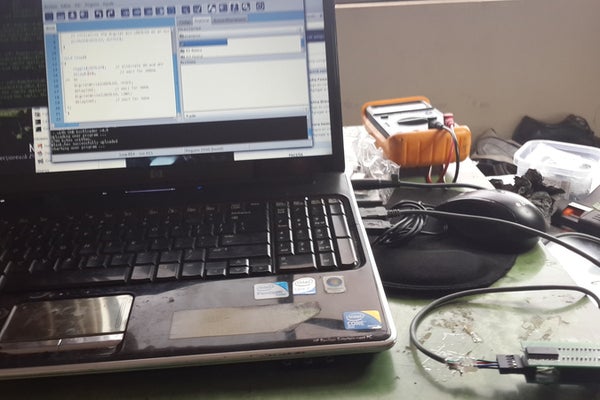
you don't need to do the board and less the PCB layout. I hope this encourages people who have no experience with these training cards and if you are an Arduinist, this simple Penguin will not be expensive or require a lot of complexity.
Step 1: Simple and Cheap PIC 2550 Penguin

There is also a RUN Led in pic 6, I know it is wasting a pin but if you want you can do it without that First we solder the PIC 2550 SMD on the breadboard board in the previous image.
We proceed to weld the important elements of a penguin, here we see the 20 MHZ CRYSTAL that we are using. If you have questions about the Bootloader, you can go to the end of the page
Step 2:
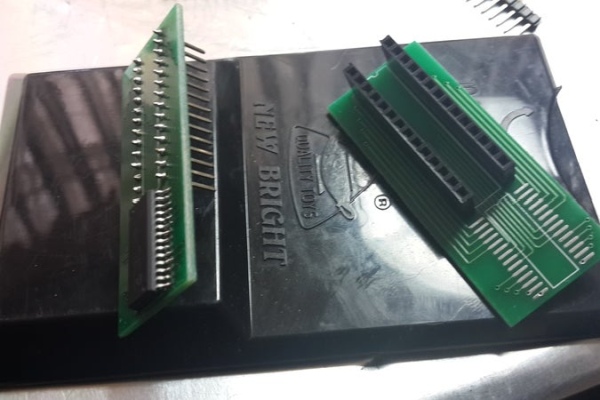
Step 3:
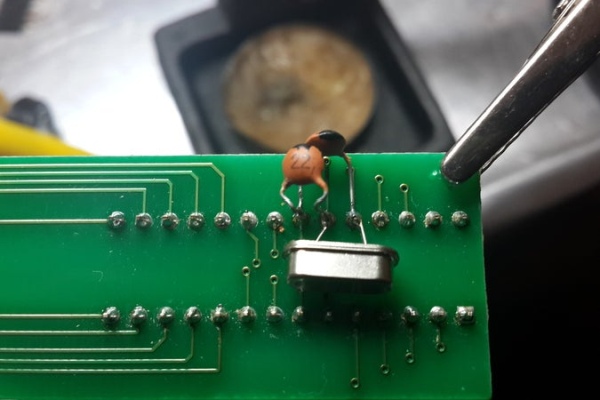
Step 4:
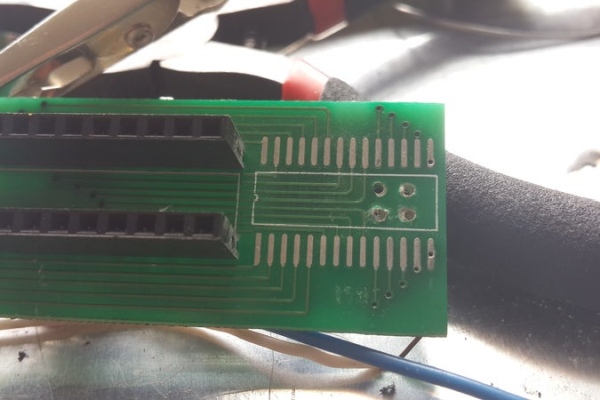
Step 5:
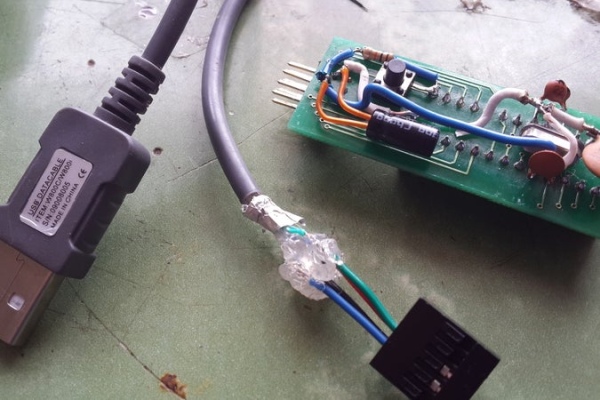
Penguin PIC18F2550
Software Version Pinguino IDE X4 rev971
BootLoader version v4.8 18f2550 20 Mhz.
Tested on Debian Wheezy, on Ubuntu I know from friends that there is no problem either.
Well until another and keep experimenting.
Step 6: Tested on Debian Wheezy, on Ubuntu I know from friends that there is no problem either.
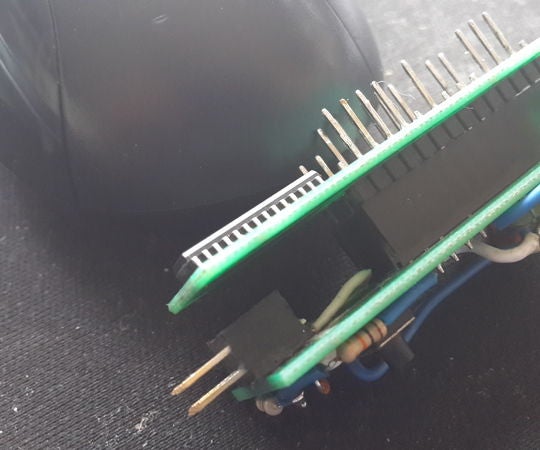
Penguin PIC18F2550
Software Version Pinguino IDE X4 rev971
BootLoader version v4.8 18f2550 20 Mhz.
Tested on Debian Wheezy, on Ubuntu I know from friends that there is no problem either.
Well until another and keep experimenting.
Source: PIC18F2550 Very Simple Penguin
Quick Solutions to Questions related to Simple and Cheap PIC 2550 Penguin:
- What is Pinguino?
Pinguino is a Bootloader and Software that allows you to load and reload programs within a microcontroller. - Which operating systems support the Pinguino IDE X4?
The software is compatible with WINDOWS (win7 x64 tested) and Linux (Debian-Wheezy / Ubuntu tested). - Can I build this without a custom PCB layout?
No, you do not need to do the board or the PCB layout; it can be built on a breadboard. - How does the RUN LED affect the PIC pin usage?
The article notes that having a RUN Led in pic 6 wastes a pin, but it can be done without it. - What is the specific version of the BootLoader mentioned?
The BootLoader version is v4.8 18f2550 20 Mhz. - Is the project suitable for beginners?
Yes, the goal is to encourage people who have no experience with training cards by keeping it simple and inexpensive. - Does this project require complex assembly?
No, it is designed so that even an Arduinist will find it not expensive or requiring a lot of complexity. - Where can I find information on installing svn for Debian Wheezy?
Instructions are available at the provided link regarding how to install it on Debian Wheezy.
Related projects
Pinguino Project: A PIC Microcontroller Based Arduino
This is a complete tutorial to make a PIC Microcontroller based Arduino. This is a complete tutorial to make PIC microcontroller based...
Audio, Sound & Radio · PIC18F2550LM386 based stereo audio amplifier with digital volume control using PIC18F2550
Due to its simplicity (requires minimum external components) and high availability, LM386 is very popular among hobbyists for use in low-voltage audio...
Meters & Test Instruments · PIC18F2550Harmonic Distortion Meter using PIC18F2550
The 3rd harmonic distortion meter has been designed for measuring the quality of AC supply. The meter is built with a PIC18F2550...
Programmers & ICSPCalculator Test using PIC24FJ64GA006 with Proteus Simulation
Introduction The Calculator Test using EASYHDL is a practical microcontroller project built on the PIC24FJ64GA006 and simulated in Proteus. This project demonstrates...
Programmers & ICSPPID Controlled Oven using TMS320F28027PT with Proteus Simulation
IntroductionThis project demonstrates a PID controlled oven implemented using a PICCOLO TMS320F28027PT microcontroller and verified through Proteus simulation.It is a practical microcontroller...
Programmers & ICSPPICCOLO Motor Controller Sample Design using TMS320F28023PT with Proteus Simulation
IntroductionThis project demonstrates a PICCOLO motor controller sample design implemented using the TMS320F28023PT Piccolo microcontroller and tested through Proteus simulation. It focuses...

Muhammad Bilal
I am a highly skilled and motivated individual with a Master's degree in Computer Science. I have extensive experience in technical writing and a deep understanding of SEO practices.