


If you love cars, there's something very satisfying about making improvements yourself. While major mechanical upgrades often require specialist tools and experience, electronics projects offer a more accessible way to customize your vehicle. Whether you want to add useful features, improve your driving experience, or simply learn something new, plenty of projects are easy to tackle at home.
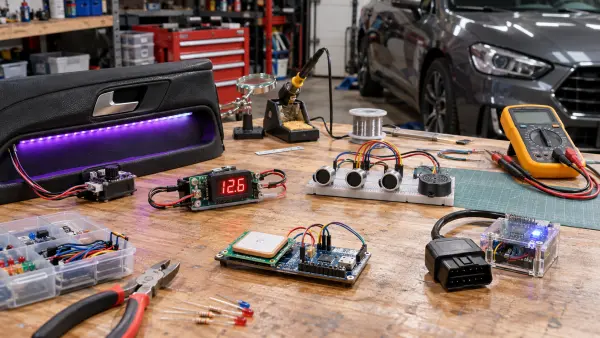
Here are five DIY electronics projects worth trying if you're looking to put your technical skills to good use.
1. Install Custom LED Interior Lighting
One of the easiest ways to personalize your car is by upgrading its interior lighting. LED strips are affordable, energy-efficient, and available in a huge range of colors, making them ideal for creating a more interesting cabin.
You can install LED strips beneath your dashboard, around the footwells, or underneath the seats. Some kits even allow you to control the lighting through a smartphone app, changing colors and brightness whenever you like.
For a cleaner installation, consider using a dedicated fused power connection rather than leaving wires trailing around your cabin. Make sure your lighting doesn't distract you while driving.
2. Build Your Own Digital Dashboard
If you enjoy experimenting with technology, building a digital dashboard could be your next challenge. Using a Raspberry Pi or similar small computer, you can create a custom display showing useful information about your vehicle.
Depending on your setup, this might include engine temperature, battery voltage, speed, or fuel consumption. An appropriate OBD-II interface can help you access compatible vehicle data without modifying the car's existing electronics.
You can even customize the display's appearance to suit your preferences. It's a fantastic project for developing your programming skills while creating something genuinely useful.
3. Create a Smart Vehicle Security System
Keeping your car secure is important, especially if you've invested time and money into customizing it. Building a basic DIY security system can be an interesting way to explore sensors and wireless technology.
For example, you could use a motion sensor and a microcontroller to trigger an alert when movement is detected inside your parked vehicle. You might also add smartphone notifications or a small camera for additional monitoring.
If you're transporting a valuable project car across the country, arranging professional transportation can also help protect your investment. Comparing car transporters in Memphis, for instance, can help you explore options for moving your vehicle without adding unnecessary mileage.
4. Install a DIY Parking Sensor System
Parking sensors are incredibly useful, particularly if you drive a larger vehicle or regularly navigate tight parking spaces. With an Arduino, ultrasonic sensors, and a small display or buzzer, you can create a system that detects nearby obstacles and warns you as you approach them.
You'll need to experiment with sensor positioning and wiring, but the finished project can provide a practical introduction to automotive electronics. Treat your homemade system as an additional aid rather than a replacement for checking your surroundings.
5. Build a Battery Voltage Monitor
Your car's battery plays an essential role in keeping its electrical systems running, so monitoring its condition can be useful.
A simple battery voltage monitor can be built using a microcontroller, voltage sensor, and digital display. You can configure it to show real-time voltage readings and alert you when the voltage drops below a chosen threshold.
It's a relatively straightforward project that can teach you about electrical measurements while helping you spot potential charging or battery problems.
Related projects
PIC16F877 Driving LCD in 4-Bit Mode using PIC16F877 with Proteus Simulation
Introduction This microcontroller project shows how a PIC16F877 can drive an LCD display using 4-bit mode inside a Proteus simulation.The project demonstrates...
Beginner Tutorials · PIC18F4550PICDEM FS USB CDC Evaluation Board using PIC18F4550 with Proteus Simulation
Introduction The PICDEM FS USB CDC Evaluation Board is a practical microcontroller project built around the PIC18F4550, designed to demonstrate USB communication...
Peripheral Tutorials · PIC18F4550PICDEM FS USB Mass Storage Device using PIC18F4550 with Proteus Simulation
Introduction This microcontroller project demonstrates how to simulate a USB Mass Storage Device (MSD) using the PIC18F4550 in a Proteus simulation environment....
Beginner TutorialsPIC12CE518 I2C EEPROM using PIC12CE518 with Proteus Simulation
Introduction This microcontroller project demonstrates how to write and read data using the internal I2C EEPROM of the PIC12CE518 and visualize the...
Beginner TutorialsPico Timer Project using Pico with Proteus Simulation
Introduction Timers are one of the most important features in embedded systems because they allow microcontrollers to perform tasks at precise intervals...
Beginner Tutorials · PIC16F84APIC Stepper Motor Controller using PIC16F84A with Proteus Simulation
Introduction Stepper motors are widely used in embedded systems and DIY electronics projects where precise position control is required. This PIC Stepper...

Muhammad Bilal
I am a highly skilled and motivated individual with a Master's degree in Computer Science. I have extensive experience in technical writing and a deep understanding of SEO practices.