
Summary of 40 CHANNEL ANIMATION LED CIRCUIT PIC18F452
This article describes a 40-channel animation LED circuit designed for signage, utilizing the PIC18F452 microcontroller. The system employs five 74LS595 shift registers to manage outputs and uses IRF540N MOSFETs (or IRFZ44 as an alternative) for multiplexing. A DIP switch allows users to select different animations easily. The project documentation includes Proteus ISIS simulations, PCB drawings, and source code written in PicBasic Pro.
Parts used in the 40 Channel Animation LED Circuit:
- PIC18F452 microcontroller
- 74LS595 shift register
- IRF540N MOSFETs
- IRFZ44 MOSFET
- DIP switch
- Circuit board
Especially those used in LED signage is an enhanced version of the animation card has 40 outputs to the circuit board PIC18F452 microcontroller outputs 5 sadder 74ls595 irf540n MOSFETs are used in the multiplexed... Electronics Projects, 40 Channel Animation Led Circuit PIC18F452 “led projects, microchip projects, microcontroller projects, picbasic pro examples, “
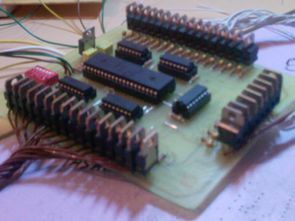
Especially those used in LED signage is an enhanced version of the animation card has 40 outputs to the circuit board PIC18F452 microcontroller outputs 5 sadder 74ls595 irf540n MOSFETs are used in the multiplexed output irfz44 used instead. Set the dip switch can easily be found on the circuit is being run with different animations. The project started ares proteus isis simulation and PCB drawings are also the source code through PicBasic’s …
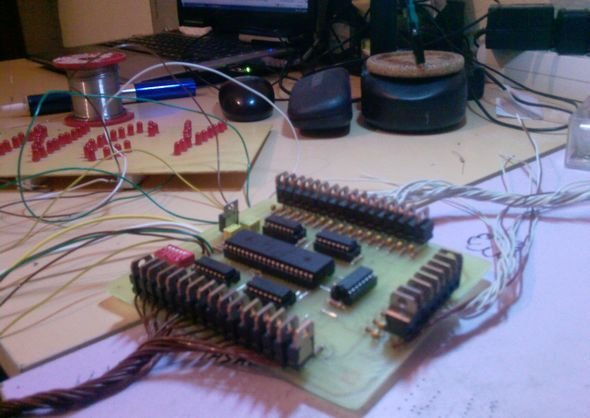
Source: 40 CHANNEL ANIMATION LED CIRCUIT PIC18F452 Alternative link: 40-channel-animation-led-circuit-pic18f452.rar
- How many outputs does the circuit have?
The circuit has 40 outputs connected to the circuit board. - What microcontroller is used in this project?
The project uses the PIC18F452 microcontroller. - How are the outputs managed in the design?
Five 74LS595 shift registers are used to handle the multiplexed output. - Which MOSFETs are recommended for this circuit?
The design specifies IRF540N MOSFETs, with IRFZ44 noted as an alternative. - How can different animations be selected?
A DIP switch set on the circuit allows for easy selection of different animations. - What software was used for simulation?
The project started with Ares Proteus ISIS simulation. - In which language is the source code written?
The source code is provided through PicBasic Pro.
