


Summary of SPEED CALCULATION CIRCUIT PIC18F4680 PICBASIC
This article describes a speed calculation circuit utilizing the PIC18F4680 microcontroller, with the PIC18F4585 as an optional alternative. The system processes input signals in FPS and MPH, displaying the calculated results on a 4×16 LCD screen. The project software is developed using PicBasic Pro, and the source code includes necessary files for implementing these signal calculations.Parts used in the Speed Calculation Circuit:
- PIC18F4680 microcontroller
- PIC18F4585 microcontroller (optional)
- 4 × 16 LCD screen
- PicBasic Pro software
Speed calculation circuit pic18f4680 used optionally pic18f4585 microcontroller used in the pic input signal FPS, MPH as the calculate and 4 × 16 LCD screen displays the software pibasic pro prepared by the source....Electronics Projects, Speed Calculation Circuit PIC18F4680 PicBasic "microchip projects, microcontroller projects, picbasic pro examples, "
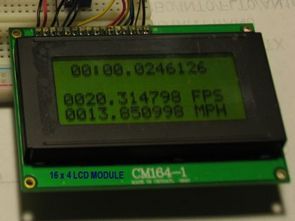
Speed calculation circuit pic18f4680 used optionally pic18f4585 microcontroller used in the pic input signal FPS, MPH as the calculate and 4 × 16 LCD screen displays the software pibasic pro prepared by the source. Bas codes include files there PicBasic pro signals, calculation projects can be an example of a study
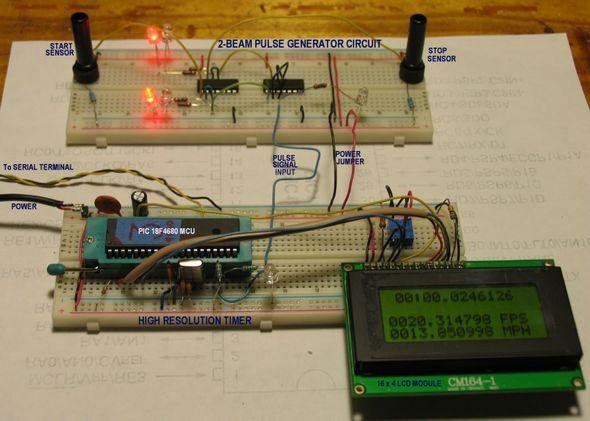
Source: SPEED CALCULATION CIRCUIT PIC18F4680 PICBASIC alternative link: speed-calculation-circuit-pic18f4680-picbasic.rar
Quick Solutions to Questions related to Speed Calculation Circuit:
- Which microcontroller is primarily used in this circuit?
The PIC18F4680 microcontroller is primarily used. - Can the PIC18F4585 be used instead of the main microcontroller?
Yes, the PIC18F4585 can be used optionally. - What units of measurement does the circuit calculate?
The circuit calculates speed in FPS and MPH. - How are the calculated speeds displayed?
Speeds are displayed on a 4 × 16 LCD screen. - What software was used to prepare the project code?
The software prepared by the source uses PicBasic Pro. - Does the project include specific code files for signals?
Yes, Bas codes include files for PicBasic pro signals.
Related projects
Exploring Leon’s Mini Random Number Generator (mRNG)
Sales Pitch Feeling overwhelmed by choices? Who isn't? Decision-making can be a maze. White, rye, or wheat? Pinstripes or polka dots? Feast...
Games, Toys & Calculators · PIC16F628ATIC TAC TOE game using PIC16F628
This project is not to introduce Tic Tac Toe. Everyone knows this game. It's to introduce two features. Bi-coloured LEDs, microcontrollers and...
Games, Toys & CalculatorsInteractive Blitz Chess: A Physical Blitz Chess Board Powered with PIC32
Introduction We created a companion system for physical chess boards to help players enjoy their fast paced blitz game with a chess...
Games, Toys & Calculators · PIC16F877APIC16F877 LED blinking code and Proteus simulation
This post provides the code to make an LED blink using PIC16F877 microcontroller. This code is written in C language using MPLAB...
Games, Toys & Calculators · PIC16F84AA memory game using a PIC16F84A microcontroller
This article describes a game we all know. It is SIMON. It uses 4 switches, 4 colored lights and a speaker to...
Games, Toys & CalculatorsDigital “Etch A Sketch” Glove
Introduction For our ECE 4760 final project, we designed, constructed, and tested a glove-operated system that dynamically simulates the classic toy, Etch...

Ibrar Ayyub
I am an experienced technical writer holding a Master's degree in computer science from BZU Multan, Pakistan University. With a background spanning various industries, particularly in home automation and engineering, I have honed my skills in crafting clear and concise content. Proficient in leveraging infographics and diagrams, I strive to simplify complex concepts for readers. My strength lies in thorough...