


Summary of Scrolling Text on LCD by PIC Microcontroller
This article explains how to implement scrolling text on an LCD using a PIC16F877 microcontroller in 4-bit mode. It outlines the necessary software tools, Proteus 7 Professional for simulation and MikroC for programming. The hardware setup includes a crystal oscillator, the PIC16F877 chip, and an LM016L display. The tutorial focuses on using specific C commands, `LCD_SHIFT_RIGHT` and `LCD_SHIFT_LEFT`, to move text across the screen without re-explaining basic LCD interfacing.Parts used in the Scrolling Text on LCD by PIC Microcontroller:
- Proteus 7 Professional
- MikroC
- Crystal
- Pic16f877
- LM016L (LCD display)
Now to start with Scrolling text on LCD by PIC microcontroller in 4 bit mode, we need support of
- 1 Proteus 7 Professional (where we Make your hardware arrangement our project and simulate it to see the result)
- 2 Mikcro C. (here we write the Embedded C Program and build the hex file of that)
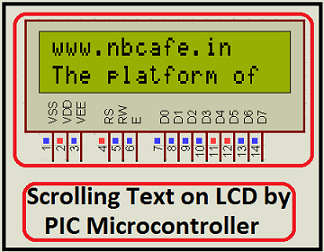
So we start with Proteus 7 Professional
To build Scrolling text on LCD by PIC microcontroller in 4 bit mode, we need to add some device in proteus as like in other project we did. Those are
- 1) Crystal
- 2) Pic16f877
- 3) LM016L ( LCD display)
Now how to add, make the interfacing and to see the result of our project how it simulates? See my video in below where I show you step by step.
In Makcro C
See in Makcro C how to display text in LCD I already discus in my previous post at Displaying text on LCD by interfaced with PIC16F877 microcontroller in 4 bit mode . so in this post I not discussing tish portion I only discuss how to scrolling the text. For scrolling the text we have to know some other command those are
LCD_SHIFT_RIGHT (By this command text on LCD shift one bit position in Right)
LCD_SHIFT_LEFT (By this command text on LCD shift one bit position in left)
For more detail: Scrolling Text on LCD by PIC Microcontroller
Quick Solutions to Questions related to Scrolling Text on LCD by PIC Microcontroller:
- What is required to start scrolling text on LCD by PIC microcontroller in 4 bit mode?
You need Proteus 7 Professional for hardware arrangement and simulation, and MikroC to write the Embedded C Program. - Which devices must be added in Proteus to build this project?
The required devices are a Crystal, Pic16f877, and LM016L (LCD display). - How do you shift text one bit position to the right on the LCD?
Use the command LCD_SHIFT_RIGHT to shift the text one bit position in the Right direction. - How do you shift text one bit position to the left on the LCD?
Use the command LCD_SHIFT_LEFT to shift the text one bit position in the Left direction. - Does this article explain how to interface the LCD in 4 bit mode?
No, it refers to a previous post for that information and only discusses how to scroll the text. - Can I simulate the result of my project in Proteus?
Yes, you can make your hardware arrangement in Proteus 7 Professional and simulate it to see the result. - What tool is used to build the hex file for this project?
MikroC is used to write the Embedded C Program and build the hex file. - Is the process of scrolling text considered simple?
Yes, the article states that scrolling text on LCD by PIC microcontroller is very simple but very important.
Related projects
PIC16F877 Driving LCD in 4-Bit Mode using PIC16F877 with Proteus Simulation
Introduction This microcontroller project shows how a PIC16F877 can drive an LCD display using 4-bit mode inside a Proteus simulation.The project demonstrates...
Programmers & ICSP · PIC16F877AEPE PIC/LCD Demo using PIC16F877 with Proteus Simulation
IntroductionThe EPE PIC/LCD Demo is a classic microcontroller project that demonstrates how a PIC16F877 can fully control a PG12864F graphical LCD.Designed as...
Motors & Robotics · PIC16F877AEfficient Sun-Following Robot: A Solar Tracker with Microcontroller Control
Abstract The impending global challenge of dwindling non-renewable fuel resources underscores the urgency of transitioning towards renewable energy alternatives like solar power....
LCD & Display ProjectsLeveraging Blockout Banners for Effective Electronics and Tech Product Displays
Blockout banners have become a popular and effective tool for displaying electronics and tech products in various settings, from trade shows and...
LCD & Display Projects · PIC18F4520Interfacing PIC18F4520 microcontroller with an HD44780 LCD
Introduction Being able to display data from a microcontroller visually has many advantages. It allows for menus, status indicators, and instructions to...
LCD & Display ProjectsVideo Project Development in the Midst of an Impromptu Online Semester
Receiving robot parts in the mail was an unexpected conclusion to the Winter 2020 semester for students. However, when faced with a...

Ibrar Ayyub
I am an experienced technical writer holding a Master's degree in computer science from BZU Multan, Pakistan University. With a background spanning various industries, particularly in home automation and engineering, I have honed my skills in crafting clear and concise content. Proficient in leveraging infographics and diagrams, I strive to simplify complex concepts for readers. My strength lies in thorough...