
Summary of PIC12F675 Comparator Code and Proteus Simulation
This article explains how to use the PIC12F675 microcontroller's built-in op-amp as a voltage comparator using C code in MPLAB. It details a Proteus simulation where Pin 6 receives an input voltage (0–5V) and compares it against an internal 2.5V reference on Pin 7. The output on Pin 5 drives an LED, indicating whether the input is below or above the threshold.
Parts used in the PIC12F675 Comparator Project:
- PIC12F675 microcontroller
- Built-in op-amp configured as comparator
- Variable voltage signal source (0 to 5 volts)
- LED
- MPLAB IDE with HI-TECH C compiler
- Proteus simulation software
This post provides the comparator code for PIC12F675 microcontroller. As we know, PIC12F675 microcontroller has one built in op-amp, which can be used as comparator. This code is written in C language using MPLAB with HI-TECH C compiler. You can download this code from the ‘Downloads‘ section at the bottom of this page.
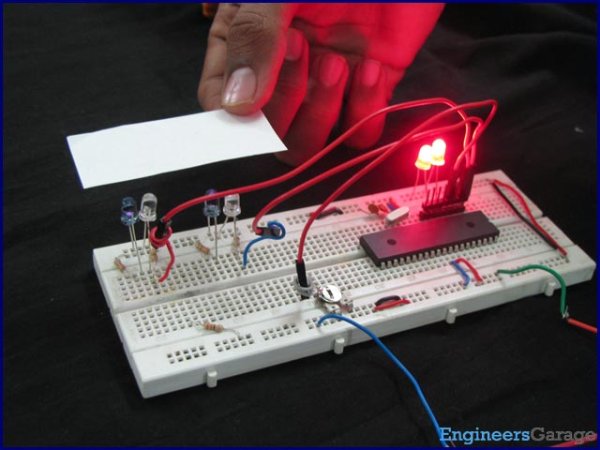
It is assumed that you know how to blink an LED with PIC12F675 microcontroller. If you don’t then please read this page first, before proceeding with this article.
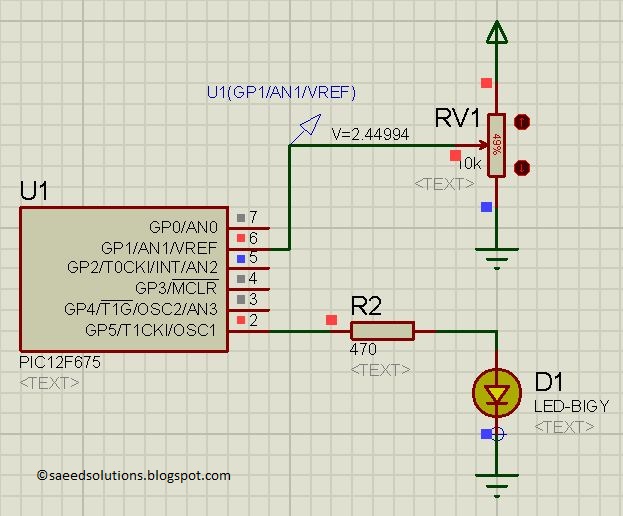
The result of simulating the code in Proteus is shown below[1].
In the above circuit[2], a variable voltage signal of 0 to 5 volts can be applied on Pin6 of PIC12F675 controller. Pin7 and Pin6 are the input pins for the comparator and Pin5 is output pin. In the above circuit shown, Pin6 is attached with the -ve pin of the comparator and on the +ve pin a reference voltage of 2.5v are applied internally. LED attached on the GP5 pin shows the result of the comparator.
So, in the above figure, GP5 pin is high because voltage on Pin6 of PIC12F675 is 2.45v, which is less than 2.5v. If a voltage higher than 2.5v is applied on Pin6, then GP5 will become low.
Code
The code for the main function is shown below.
Downloads
Comparator code for PIC12F675 was compiled in MPLAB v8.85 with HI-TECH C v9.83 compiler and simulation was made in Proteus v7.10. To download code and Proteus simulation click here.
For more detail: PIC12F675 Comparator Code and Proteus Simulation
- What language is the comparator code written in?
The code is written in C language. - Which compiler was used for the project?
HI-TECH C compiler version 9.83 was used. - How can I simulate this circuit?
You can simulate the code using Proteus v7.10. - What voltage range is applied to Pin 6?
A variable voltage signal of 0 to 5 volts is applied to Pin 6. - Does the PIC12F675 have a built-in comparator?
Yes, the PIC12F675 has one built-in op-amp that can be used as a comparator. - What happens if the voltage on Pin 6 is higher than 2.5V?
If a voltage higher than 2.5V is applied on Pin 6, GP5 will become low. - Why is the GP5 pin high in the example shown?
GP5 is high because the voltage on Pin 6 is 2.45V, which is less than the 2.5V reference.
