
Summary of TOIT ENABLES EFFORTLESS IOT DEVELOPMENT WITH A TROVE OF SMART FEATURES
Toit is an all-in-one IoT platform that streamlines firmware, cloud connectivity, a web console, and a fast Python-like language to speed development. It enables quick onboarding (ESP32 + USB), browser-based flashing via Web Serial, an in-console editor with runtime logs, OTA firmware updates, and secure multitasking with isolated app memory—letting developers deploy and run reliable applications on constrained MCUs in minutes.
Parts used in theToit Project:
- ESP32 board
- USB cable
- Web browser (for Web Serial flashing and web-based console)
- Toit firmware (flashed to the ESP32)
- Toit web-based console with inbuilt code editor
- Cloud connectivity (Toit cloud services)
Toit revolutionizes the IoT development process by offering a novel approach that fixes most of the issues inherent to the traditional process. Toit provides you with everything needed for developing an IoT application: firmware, cloud connectivity, a web-based console, and even a new programming language with syntax similar to Python but much faster execution speeds. This article presents some notable features of this all-in-one platform which help IoT developers to build their applications quickly and easily.
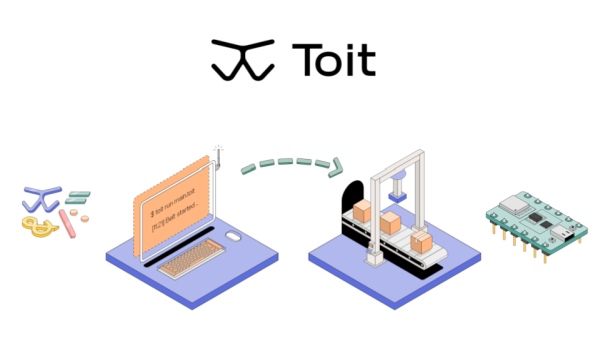
Deploy Your First Application From Scratch Within 15 Minutes
Toit provides a smooth onboarding process for developers who are new to this platform. First-time users need an ESP32 board and a USB cable to flash the firmware. This is a one-time process and future updates for the firmware will be done over the air. After signing up, the web-based console provides almost everything for getting started. Now with the support for flashing from the browser using Web serial, users can start developing even without installing anything on their PCs. This whole process of provisioning your device will take a few minutes and you’ll be up and running.
The console provides an inbuilt code editor where you can write, run code on your device and monitor the output with timestamps. This is a great way to quickly try out something and improve your program. Finally, when your program is working as expected, you can deploy it as a long-lived application on your device. If any, the output of the app will be logged and can be seen through the console under the LOGS section.
Efficient Multitasking On A $2 MCU
The multitasking capability of Toit is what makes it stand out from the crowd. On top of that, the isolated memory areas for each application put the icing on the cake. This way, the security of data is taken care of. Multitasking on an MCU with the traditional development process is not impossible but might easily break the whole system even if a small bug comes up. On Toit, it is a light and agile process, so users can easily try out new things without having to worry about bricking the device.
Read more: TOIT ENABLES EFFORTLESS IOT DEVELOPMENT WITH A TROVE OF SMART FEATURES
- What hardware do I need to get started with Toit?
An ESP32 board and a USB cable are required to flash the firmware as part of the initial setup. - Can I flash Toit firmware from the browser?
Yes, Toit supports flashing from the browser using Web Serial. - How long does it take to deploy a first application on Toit?
The article states you can deploy your first application from scratch within about 15 minutes. - Do I need to install software on my PC to start developing with Toit?
No, with browser-based flashing and the web console, you can start without installing anything on your PC. - Where can I write and run code for Toit devices?
The Toit web-based console provides an inbuilt code editor where you can write and run code on your device and monitor output. - How are firmware updates handled after initial flashing?
Future firmware updates are performed over the air (OTA) after the one-time initial flash. - Does Toit provide logging for running applications?
Yes, application output is logged and viewable in the console under the LOGS section. - How does Toit handle multitasking on constrained MCUs?
Toit provides efficient multitasking with isolated memory areas for each application to improve security and stability on low-cost MCUs.

