


Summary of PICBASIC TFT TOUCH LCD PROJECT PIC16F628A SSD1289 ADS7843
This article introduces a Touch TFT LCD control project using the older PIC16F628A microcontroller with PicBasic Pro, demonstrating that advanced controllers like ARM or PIC32 are not strictly necessary. It highlights a specific implementation involving the SSD1289 display driver and ADS7843 touch controller, offering an accessible alternative for hobbyists interested in microcontroller programming without complex software requirements.Parts used in the Touch TFT LCD Control Project:
- PIC16F628A Microcontroller
- TFT LCD Display
- SSD1289 Driver
- ADS7843 Touch Controller
- PicBasic Pro Compiler
Nowadays Touch TFT LCD control when a lot of people interested in microcontroller programming first thought the Pic18, Pic24, Pic32, ARM, etc … but a little advanced microcontrollers and application uğraştırsa is a very... Electronics Projects, Picbasic TFT Touch LCD project PIC16F628A SSD1289 ADS7843"microchip projects, microcontroller projects, pic16f628 projects, picbasic pro examples, "
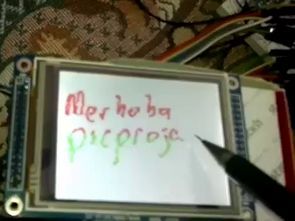
Nowadays Touch TFT LCD control when a lot of people interested in microcontroller programming first thought the Pic18, Pic24, Pic32, ARM, etc … but a little advanced microcontrollers and application uğraştırsa is a very old model, which shows the software can control the TFT LCD with Picbasic Pic16f628a crafted with.
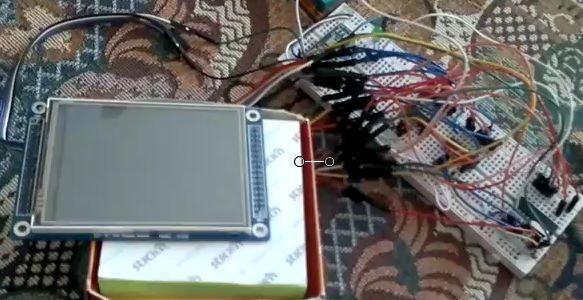
Source: PICBASIC TFT TOUCH LCD PROJECT PIC16F628A SSD1289 ADS7843 alternative link for the isis code and schema: picbasic-tft-touch-lcd-project-pic16f628a-ssd1289-ads7843.RAR Thanks to those who contributed to preparing
Quick Solutions to Questions related to Touch TFT LCD Control Project:
-
Which microcontroller is used in this project?
The project uses the PIC16F628A microcontroller. -
Can I use advanced microcontrollers like ARM for this project?
The article suggests that while many people think of ARM first, this project proves you can control the TFT LCD with the older PIC16F628A. -
What programming language is required for this project?
The project is crafted using PicBasic Pro. -
Which driver chip controls the TFT LCD screen?
The SSD1289 driver is used to control the display. -
What component handles the touch functionality?
The ADS7843 is the component used for touch control. -
Is this project suitable for beginners who find advanced microcontrollers difficult?
Yes, the article states that using the old model allows software control without struggling with very advanced microcontrollers. -
Where can I find the source code and schematic for this project?
The source code and schematic are available in a file named picbasic-tft-touch-lcd-project-pic16f628a-ssd1289-ads7843.RAR. -
Does this project require complex application software?
No, the article implies it avoids the complexity of applications associated with very advanced microcontrollers.
Related projects
DHT11 Low Cost Humidity Sensor using PIC16F628A with Proteus Simulation
IntroductionThis microcontroller project demonstrates how to interface a low-cost DHT11 temperature and humidity sensor with a PIC16F628A using a Proteus simulation environment.The...
LCD & Display Projects · PIC16F628AFrequency Counter by PIC16F628
In this project we are building a basic and low cost frequency counter circuit . It can measure from 16Hz to 100Hz...
Games, Toys & Calculators · PIC16F628ATIC TAC TOE game using PIC16F628
This project is not to introduce Tic Tac Toe. Everyone knows this game. It's to introduce two features. Bi-coloured LEDs, microcontrollers and...
LCD & Display ProjectsLeveraging Blockout Banners for Effective Electronics and Tech Product Displays
Blockout banners have become a popular and effective tool for displaying electronics and tech products in various settings, from trade shows and...
LCD & Display Projects · PIC18F4520Interfacing PIC18F4520 microcontroller with an HD44780 LCD
Introduction Being able to display data from a microcontroller visually has many advantages. It allows for menus, status indicators, and instructions to...
LCD & Display ProjectsVideo Project Development in the Midst of an Impromptu Online Semester
Receiving robot parts in the mail was an unexpected conclusion to the Winter 2020 semester for students. However, when faced with a...

Ibrar Ayyub
I am an experienced technical writer holding a Master's degree in computer science from BZU Multan, Pakistan University. With a background spanning various industries, particularly in home automation and engineering, I have honed my skills in crafting clear and concise content. Proficient in leveraging infographics and diagrams, I strive to simplify complex concepts for readers. My strength lies in thorough...