
Summary of PIC16F877 external interrupt code and Proteus simulation
This article explains how to capture a pulse on the RB0/INT pin of a PIC16F877 to generate an external interrupt that toggles RD0. It describes a Proteus-tested C implementation compiled with HI-TECH C in MPLAB, shows a circuit using a pull-down resistor and pushbutton to create a low-to-high pulse on RB0/INT, and links to downloadable code and simulation files.
Parts used in the PIC16F877 External Interrupt Project:
- PIC16F877 microcontroller
- Push button
- Pull-down resistor
- LED connected to RD0
- Proteus (for simulation)
- MPLAB IDE
- HI-TECH C compiler
This post answers the question, “How to capture a pulse to generate an interrupt in PIC16F877” ?
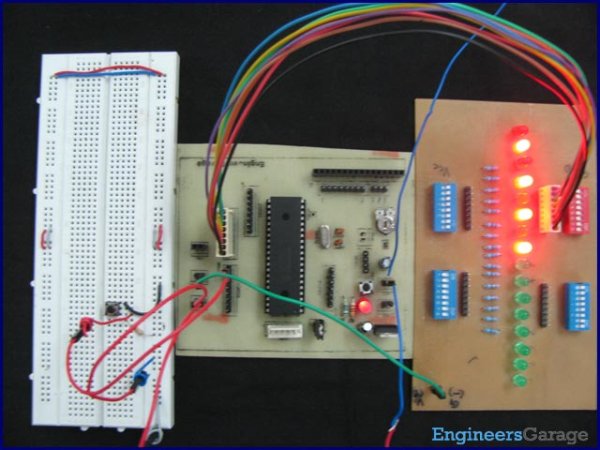
Also, using PIC16 simulator (Proteus) you can verify this external interrupt code and change it according to your needs. This code is written in C language using MPLAB with HI-TECH C compiler. You can download this code from the ‘Downloads‘ section at the bottom of this page.
This PIC16F877 microcontroller tutorial provides the external interrupt code (e-g when you need to control servo motor which has position encoder, with your PIC microcontroller you can use this code). As we know, PIC16F877 microcontroller has one RB0/INT pin, this pin is used to service external interrupts in the circuit shown below.
It is assumed that you know how to blink an LED with PIC16F877 microcontroller. If you don’t then please read this page first, before proceeding with this article.
The following diagram (made in Proteus) shows the PIC microcontroller circuit diagram[1].
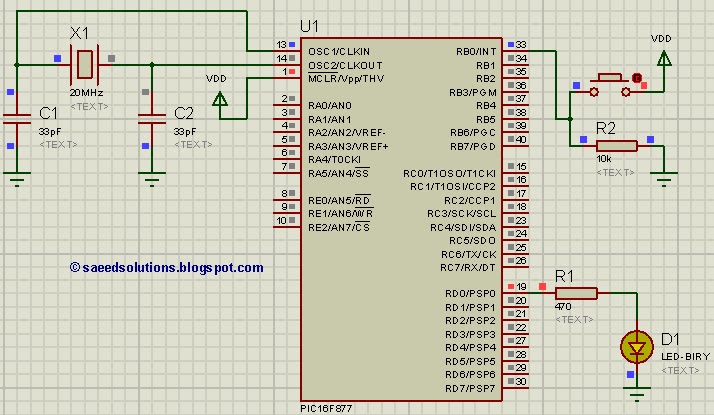
In the above circuit[2], normally a low value is present on the RB0/INT pin because of the pull down resistor. But when push button is pressed then a low to high pulse on the RB0/INT pin generates the interrupt. And code is written in such a way that whenever interrupt is generated then RD0 pin is toggled.
Code
The code for the main function is shown below.
Downloads
External interrupt code for PIC16F877 as compiled in MPLAB v8.85 with HI-TECH C v9.83 compiler and simulation was made in Proteus v7.10. To download code and Proteus simulation click here.
For more detail: PIC16F877 external interrupt code and Proteus simulation
- How does the PIC16F877 detect an external interrupt in this project?
The RB0/INT pin receives a low-to-high pulse from the push button which generates the external interrupt. - What happens when the external interrupt is generated?
The code toggles the RD0 pin whenever an external interrupt occurs. - Can I simulate this external interrupt code before using real hardware?
Yes, the code and circuit are verified in Proteus simulation. - What language and tools are used to write the interrupt code?
The code is written in C using MPLAB with the HI-TECH C compiler. - Does the RB0/INT pin require a pull-down resistor in this circuit?
Yes, a pull-down resistor keeps RB0/INT low until the push button is pressed. - Where can I download the external interrupt code and simulation?
The article provides a Downloads section with the code and Proteus simulation files. - Is prior knowledge required before following this article?
The article assumes you know how to blink an LED with PIC16F877 before proceeding.
