
Summary of Explorer 16 Virtual Evaluation Board Web Server using PIC Microcontroller with Proteus Simulation
This article details a Proteus simulation of an Explorer 16 evaluation board featuring a PIC microcontroller acting as a web server. The system utilizes the ENC28J60 Ethernet module for TCP/IP communication, DHCP assignment, and HTTP request handling. It integrates peripherals like switches, LEDs, an LCD, and a potentiometer to demonstrate real-time interaction and debugging via UART, all within a virtual environment without physical hardware.
Parts used in the Explorer 16 Virtual Evaluation Board Web Server:
- PIC Microcontroller
- ENC28J60 Ethernet Module
- SPI Communication Interface
- Microchip TCP/IP Stack
- DHCP Client
- HTTP Server Module
- Push Buttons (S1–S6)
- Potentiometer
- LCD Display
- LEDs
- UART Terminal
- Proteus VSM Simulation Environment
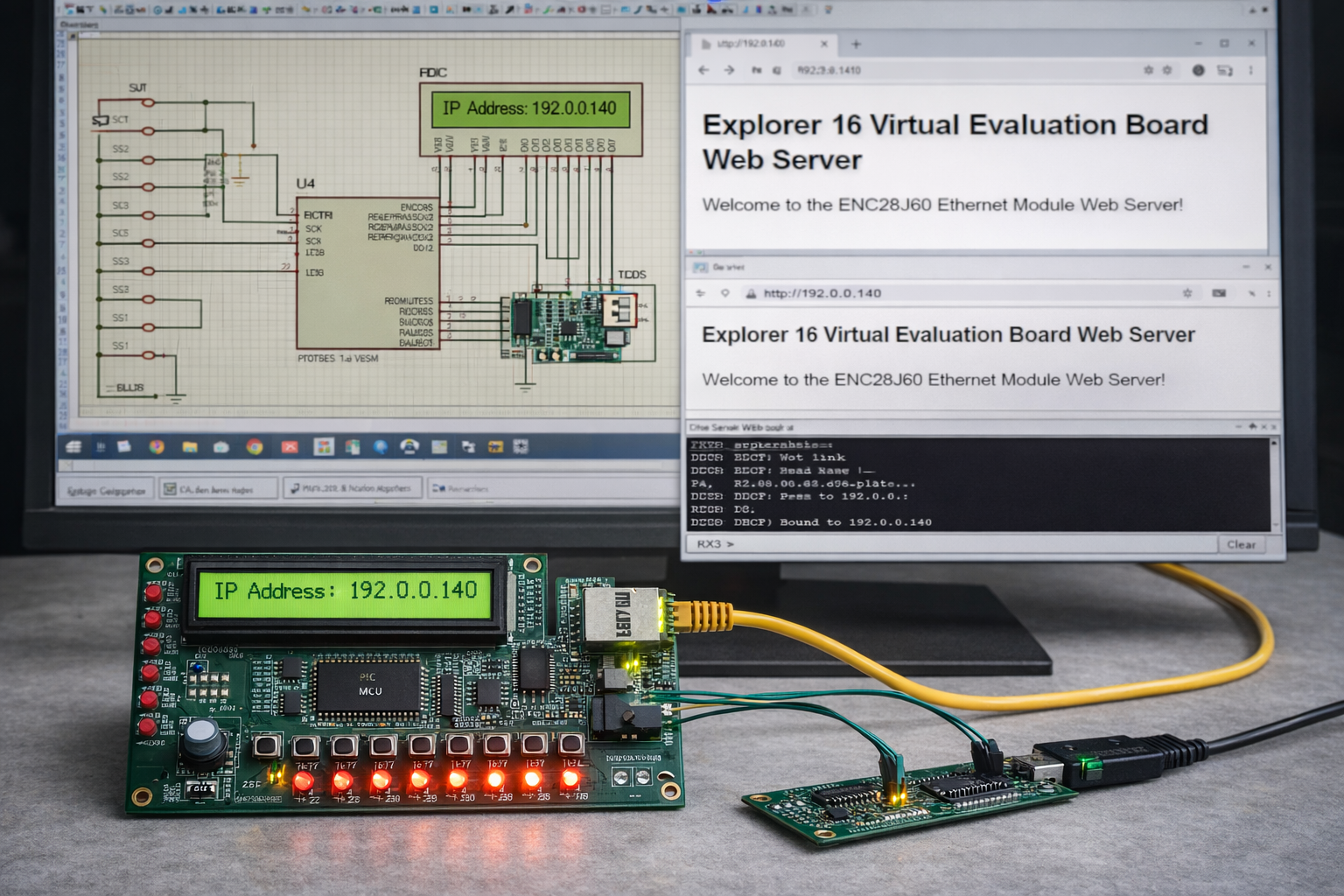
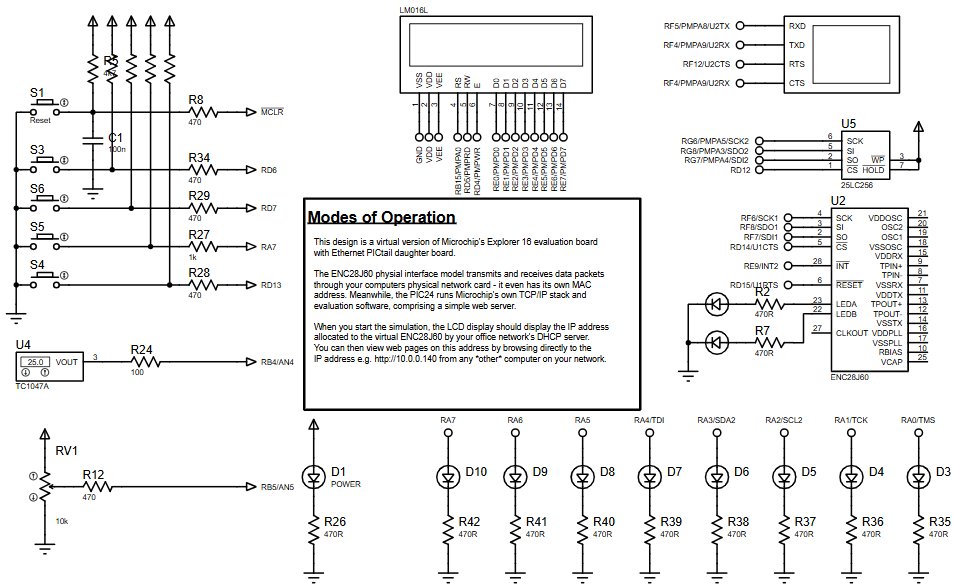
- How does the system obtain an IP address?
The system requests an IP address automatically via DHCP when powered on. - What protocol stack enables the web server functionality?
Microchip's TCP/IP stack is used to implement networking protocols including IP, TCP, and HTTP. - Can this project be tested without physical hardware?
Yes, the entire system is fully simulated in Proteus VSM, requiring no physical components. - How are user inputs processed in the simulation?
Push buttons provide digital input while a potentiometer simulates analog input via the ADC module. - What component manages network packet transmission?
The ENC28J60 Ethernet controller handles packet transmission and reception over the SPI interface. - Does the system support remote monitoring applications?
Yes, it serves as a practical example for IoT-style applications and remote device monitoring. - How can developers debug the system?
A UART terminal provides a debugging interface that sends information to a virtual terminal. - What happens when a browser accesses the assigned IP?
The PIC processes the incoming HTTP request and serves a simple webpage to the device.

