
Summary of PIC18F4550 CONTROL STEPPING MOTOR VIA USB INTERFACE DELPHI
This article details a project demonstrating how to control a stepping motor via a USB interface using a PIC18F4550 microcontroller and Delphi 6 software. The system utilizes full-speed USB at 48MHz with on-chip drivers, where the firmware is written in MPLAB C18 and the PC host software in Delphi 6. It specifies power requirements, noting that the motor needs an external supply while the circuit draws from USB Vbus, capped at 250mA.
Parts used in the PIC18F4550 Control Stepping Motor Project:
- PIC18F4550 Microcontroller
- Stepping Motor
- MPLAB C18 Compiler
- Delphi 6 Software
- Microchip General Purpose USB Windows Driver
- +5V Vbus Power Supply
- External +Vmotor Power Supply
This is an example that demonstration how to control some devices via USB interface.The PC software program with delphi. Feature : – CPU PIC18F4550 with full speed USB interface at 48MHz. – USB 2.0 compliance – Use on-chip USB… Electronics Projects, PIC18F4550 Control stepping motor via USB interface delphi “microchip projects, microcontroller projects,
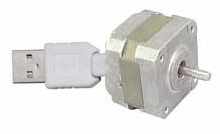
This is an example that demonstration how to control some devices via USB interface.The PC software program with delphi.
Feature :
– CPU PIC18F4550 with full speed USB interface at 48MHz.
– USB 2.0 compliance
– Use on-chip USB driver
– Control 1 stepping motor.
– MPLAB C18 for firmware at USB devices side.
– Delphi 6 for PC Host software.
USB DEVICES SIDE
Figure 1. is the schematic for this example.PIC18F4550 is the main devices that communicate with PC and control stepping motor. The power supply came from +5V Vbus for circuit except +Vmotor which must use external power supply that depend on stepping motor requires. If you add more components into circuit that drawn total current more than 250mA you should be use +5V external power supply instead Vbus.Becuase Vbus can supplies current not more than 250mA and don’t forgot to disconnect Vbus out of circuit.
Don’t connect +Vmotor to Vbus.
In this example I drive the stepping motor with 1-phase drive method(A-C-B-D).You may be change for your appropriate application.
PIC18F4550 CONTROL FIRMWARE
The firmware for this example program with MPLAB C18 with USB driver from Microchip. If you need to change or add new command please look at file user.c and use.h in user folder.
STEPPING MOTOR PC SOFTWARE SIDE
This example program with delphi 6 which modified from C++ wrote by Microchip staff. I have modified the original source code for 3 command for this example : turn left,turn right,Stop motor and connect.For detail of C++ example see in PICDEM™ FS USB User’s Guide and relate files.
The USB driver which use for this project is the Microchip General Purpose USB Windows driver which programming with C/C++ .If you need to program your own USB driver look at this website which have more interest USB driver programming information (www.jungo.com). But, programming USB driver is so hard works.Also,you need to know how dose the OS work.
for more infomation about USB please go to :
http://www.usb.org
http://www.microchip.com
Source http://www.sixca.com/ – Usb Step Motor control circuit alternative link:
FILE DOWNLOAD LINK LIST (in TXT format): LINKS-155.zip
Source: PIC18F4550 CONTROL STEPPING MOTOR VIA USB INTERFACE DELPHI
- How is the stepping motor driven in this example?
The motor is driven using a 1-phase drive method (A-C-B-D). - Can I use more than 250mA for the circuit?
If the total current exceeds 250mA, you must use an external +5V power supply instead of Vbus. - What software is used for the PC host side?
The PC software program uses Delphi 6. - Which compiler is used for the firmware?
The firmware is developed using MPLAB C18. - Does the project support USB 2.0 compliance?
Yes, the project features USB 2.0 compliance with a full speed USB interface at 48MHz. - Where can I find the source code files?
The file download list is available in TXT format as LINKS-155.zip. - Is it safe to connect +Vmotor to Vbus?
No, you should not connect +Vmotor to Vbus. - Can I modify the firmware commands?
Yes, you can change or add new commands by looking at user.c and use.h files in the user folder.
