
Summary of PARTFINDER COMPONENT INVENTORY MANAGER HELPS YOU ORGANIZE YOUR INVENTORIES
PartKeepr is a popular open-source inventory system prioritizing usability, but its massive file structure slows backups. Brian Dorey developed Part Finder to resolve this, offering faster backups and advanced fitment search for BigCommerce stores. This ASP.NET C# solution improves customer conversion, reduces returns, and aids inventory prediction using SQL Server Express on Windows 10 Pro with IIS.
Parts used in the Part Finder Project:
- Github repository files (https://github.com/briandorey/PartFinder)
- SQL Manager
- database.sql file (located in partfinder/setup)
- web.config file
- Internet Information Services (IIS) Manager
- Windows 10 Pro operating system
- SQL Server Express or full version
PartKeepr is one of the best known part invertory systems, and made it open source for anyone else to use. PartKeepr was developed with usability as its first priority. You can sort and filter by virtually any field, drag and drop parts into any category, hide and show additional fields as required and customize the layout of PartKeepr as you require.
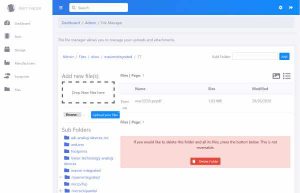
CSV and Excel export as well as CSV import helps you to interface with external systems. Barcode Scanner support allows you to retrieve part data without touching the keyboard but daily backups take very long due to the thousands of folders and files the software creates. The installation files have over 113,000 folders.
So Brian Dorey decided to build his own Part inventory management system called Part Finder.
The development of the Part finder has reduced the timing of daily backups among other advantages. Part Finder is the most advanced fitment search app for BigCommerce stores. It helps your customers find what they’re looking for, then uses those search results to analyze & grow your business. The following are other benefits of Part Finder:
- Helps customers find products faster & more accurately
- Increase conversion & customer confidence
- Reduces support staffing & product returns
- Improves marketing efforts
- Analyzes trends for inventory prediction
The Part Finder is an ASP.Net C# project and use SQL Server Express (or full) for the database and can also be run on a Windows desktop / laptop running Windows 10 Pro with the installation of the IIS services and SQL Server Express.
Now let’s take you through the installation process :
Installation
- To install and setup PartFinder, download the files from Github https://github.com/briandorey/PartFinder and extract to a folder.
- In SQL Manager, create a new database called PartFinder and run database.sql in partfinder/setup to create the database tables, views and add default data for footprints and part categories.
- Create a new user for the database and give the following permissions: Connect, Select, Update, Delete, Execute.
- Edit the web.config file in the PartFinder root and update the connection string MainConn with the username and password for your database.
- In Internet Information Services (IIS) Manager, create a new website and set the folder path to the location you extracted the files.
If you are running this application on a public-facing connection or server, you need to create a login using an email address and password.
Read more: PARTFINDER COMPONENT INVENTORY MANAGER HELPS YOU ORGANIZE YOUR INVENTORIES
-
Why did Brian Dorey develop Part Finder?
To reduce daily backup timing caused by thousands of folders and files created by PartKeepr. -
What technology stack does Part Finder use?
It is an ASP.Net C# project that uses SQL Server Express or full version for the database. -
How do you create the database tables for installation?
You must run database.sql in the partfinder/setup folder after creating a new database called PartFinder. -
What permissions are required for the database user?
The user needs Connect, Select, Update, Delete, and Execute permissions. -
Where should the website folder path be set during installation?
The folder path must be set to the location where the extracted files are placed within Internet Information Services (IIS) Manager. -
What configuration file requires updating for the connection string?
The web.config file in the PartFinder root must be edited to update the MainConn connection string. -
Can Part Finder be run on a public-facing server?
Yes, but you need to create a login using an email address and password if running on a public-facing connection.