Summary of SL040A will load it to you directly into a table sheet
RFID keyboard emulators like the SL040A replace a keyboard by sending tag UIDs (or tag data for Mifare) to a computer via USB, mimicking typed input. They can optionally append a carriage return after each UID so the host application (e.g., Excel) accepts the entry and moves the cursor, enabling simple goods tracking and automatic data entry into spreadsheet cells.
Parts used in the SL040A RFID Keyboard Emulator Project:
- SL040A RFID keyboard emulator module
- USB connector/cable
- RFID tags (UID-only tags)
- Mifare RFID tags (for reading data)
- Host computer with USB port
- Spreadsheet or data-entry software (e.g., Excel)
RFID keyboard emulators are able to significantly simplify tracking of goods.
Replacement“ of a keyboard in a form of an RFID module connected to a USB port works very simply – UID of every tag, which will appear in its range will send to a computer – the same way as if we typed it in by a keyboard. SL040A also enables to choose, whether we want the reader to send only data, or also a „CR“ character after every UID (as if an Enter key was hit).
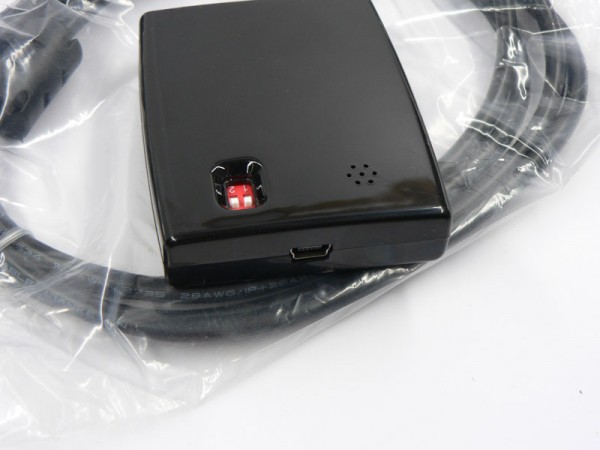
It means, that if we already have a software to type in open (for example Excel), the reader itself will fill the cell with data and move the cursor to another cell. SL040A is even able to read data (not only UID) from Mifare tags.
For more detail: SL040A will load it to you directly into a table sheet
- How does the SL040A send tag data to a computer?
It sends the UID of every tag within range via USB as if typed on a keyboard. - Can the SL040A send an Enter keystroke after each UID?
Yes, it can be set to send a carriage return after every UID. - Will the SL040A work with Excel for automatic entry?
Yes, when Excel is active the reader fills the cell with data and moves the cursor as if typed. - Does the SL040A only read UIDs?
No, it can also read data from Mifare tags, not just UIDs. - Is any special software required to use the SL040A?
No special software is required if the host application accepts typed input, like a spreadsheet. - How is the SL040A connected to the computer?
Via a USB connector/cable to a USB port on the host computer.