
Summary of PIC18F2550 Very Simple Penguin
Pinguino is a bootloader and software system for microcontrollers, enabling program loading on PIC chips. This project demonstrates building an economical Pinguino board using the PIC18F2550 microcontroller. It supports Windows and Linux (Debian/Ubuntu) via Pinguino IDE X4. The design avoids custom PCBs, using a breadboard with essential components like a 20 MHz crystal and a RUN LED to simplify development for beginners and Arduino users alike.
Parts used in the Simple and Cheap PIC 2550 Penguin:
- PIC18F2550 microcontroller
- 20 MHz crystal
- RUN LED
- Breadboard
- Soldering equipment
Pinguino is a Bootloader and SFoftware that allows you to load and reload programs within a microcontroller, this time we are going to develop a Pinguino with the most economical and simple parts that we can find. You can install the X4 version of the Pinguino IDE, which is the Software that will allow us to develop programs for our card, compatible with WINDOWS (win7 x64 tested) and Linux (Debian-Wheezy / Ubuntu tested), by following this link and installing svn where they explain how you install it on Debian Wheezy, I tried it and it works great for me. http://www.mefhigoseth.com.ar/2014/01/pinguino-ide-x4-en-linux.html
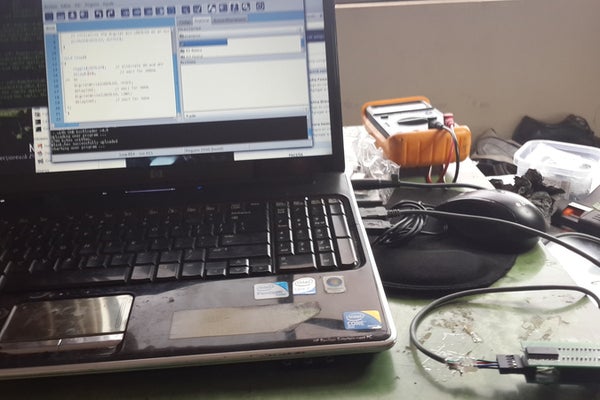
you don’t need to do the board and less the PCB layout. I hope this encourages people who have no experience with these training cards and if you are an Arduinist, this simple Penguin will not be expensive or require a lot of complexity.
Step 1: Simple and Cheap PIC 2550 Penguin

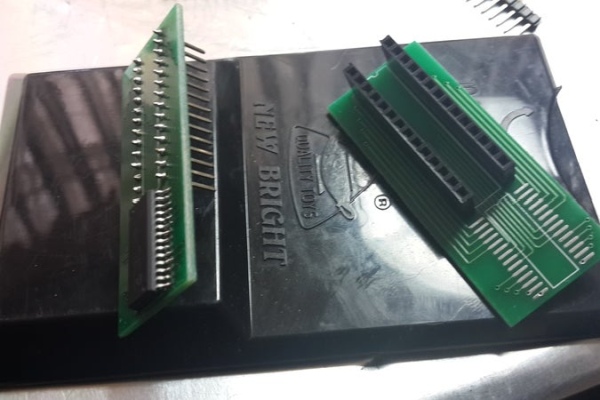
There is also a RUN Led in pic 6, I know it is wasting a pin but if you want you can do it without that First we solder the PIC 2550 SMD on the breadboard board in the previous image.
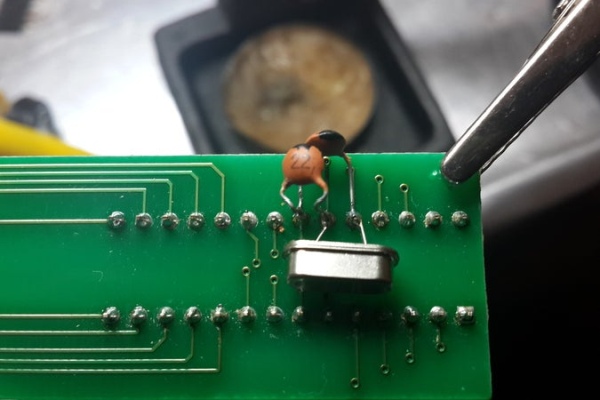
We proceed to weld the important elements of a penguin, here we see the 20 MHZ CRYSTAL that we are using. If you have questions about the Bootloader, you can go to the end of the page
Step 2:
Step 3:
Step 4:
Step 5:
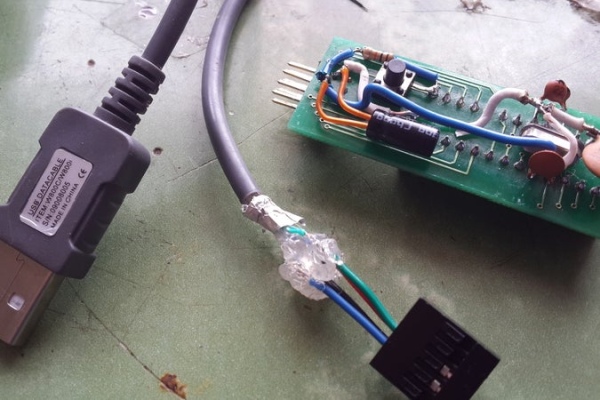
Penguin PIC18F2550
Software Version Pinguino IDE X4 rev971
BootLoader version v4.8 18f2550 20 Mhz.
Tested on Debian Wheezy, on Ubuntu I know from friends that there is no problem either.
Well until another and keep experimenting.
Step 6: Tested on Debian Wheezy, on Ubuntu I know from friends that there is no problem either.
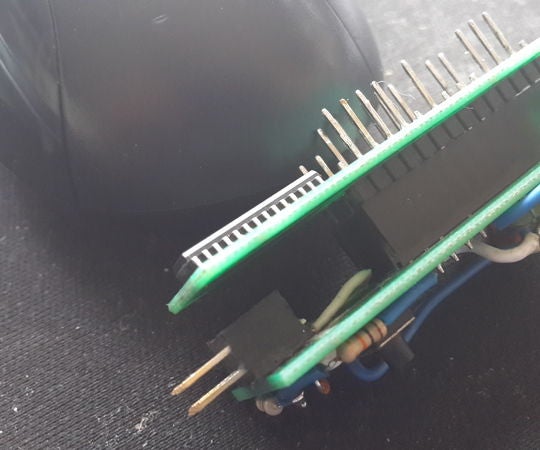
Penguin PIC18F2550
Software Version Pinguino IDE X4 rev971
BootLoader version v4.8 18f2550 20 Mhz.
Tested on Debian Wheezy, on Ubuntu I know from friends that there is no problem either.
Well until another and keep experimenting.
Source: PIC18F2550 Very Simple Penguin
- What is Pinguino?
Pinguino is a Bootloader and Software that allows you to load and reload programs within a microcontroller. - Which operating systems support the Pinguino IDE X4?
The software is compatible with WINDOWS (win7 x64 tested) and Linux (Debian-Wheezy / Ubuntu tested). - Can I build this without a custom PCB layout?
No, you do not need to do the board or the PCB layout; it can be built on a breadboard. - How does the RUN LED affect the PIC pin usage?
The article notes that having a RUN Led in pic 6 wastes a pin, but it can be done without it. - What is the specific version of the BootLoader mentioned?
The BootLoader version is v4.8 18f2550 20 Mhz. - Is the project suitable for beginners?
Yes, the goal is to encourage people who have no experience with training cards by keeping it simple and inexpensive. - Does this project require complex assembly?
No, it is designed so that even an Arduinist will find it not expensive or requiring a lot of complexity. - Where can I find information on installing svn for Debian Wheezy?
Instructions are available at the provided link regarding how to install it on Debian Wheezy.
