


Summary of Digital DCF77 clock with LCD and gong using PIC16F628A
This project builds a digital DCF77 clock using a PIC16F628(A) microcontroller and a Conrad DCF77 receiver. It displays time, date, and daylight saving status on an HD44780 LCD. The system waits for a valid signal before updating, with options for 12/24-hour formats and optional electronic gongs or LEDs.Parts used in the Digital DCF77 Clock:
- PIC16F628(A) microcontroller
- DCF77 receiver module (Conrad Order no. 64 11 38)
- HD44780 compatible LCD display (2x20 or 2x24)
- Electronic gong (optional)
- LED (optional)
- Piezo buzzer (optional)
- Variable resistor P1 for LCD contrast
Always the right time and date with DCF77
This project make use of a PIC16F628(A) and a DCF77 receiver from Conrad (Orderno. 64 11 38)
Optional there is a possibility to connect an electronic gong on it.
Click for information about DCF77 on the link underneath:

Connect the output from the DCF77 module with PORTB.0 (pin 6).
The pull-up resistor on the DCF77 output isn't necessary because PORTB.0 internal pull-up is enabled.
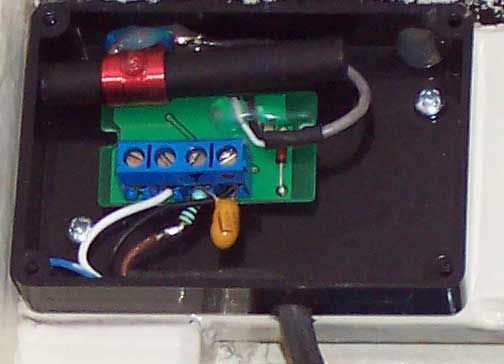
Every second is on PORTA.1 (pin 18) a pulse from 0.5 second.
This signal isn't necessary for anything, but maybe you want to connect a LED on it, so that these wil blink every second, or a piezo buzzer, so that the clock ticks as an analog clock.
PORTA.0 (pin 17) is the daylight-saving time (DST) pin and is high when it is summer.
For the LCD's 2x20 and 2x24 is it possible to print a W or S on the LCD in winter/summertime.
When connect PORTA.6 (pin 15) to +5V, the clock stays in 24 hours notation and if is choosen for 12 hours notation (AM/PM) then connect this pin with GND.
Use a HD44780 (or compatible) device for the LC-Display.
Download the .HEX file which belongs to the used LCD size.

When switching the power on, the PIC waits till it get a signal from the DCF77 module (receiver).

When searching does take more than 45 seconds, the message "No signal" follows.
The PIC stays searching until it have a decent timesignal reception.

When there is a signal found, it search to the begin from a new minute, this will take maximum 1 minute.
The timebar gives the left time.
If the whole timebar is full, then there is no startsecond found and the message "No signal" appears.

When the startsecond is found, the bits are gonna filled with time and date.
This takes exactly one minute.
If the whole timebar is full, the actual time and date is complete.
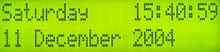
From now the day, time and date can be read.
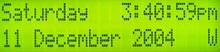
If PORTA.6 (pin 15) is connected to GND the clock stays in 12 hours (AM/PM) notation.
The W stays for Wintertime (S for Summertime, DST).
There is a .HEX file with W / S and a .HEX file without this indication.
When the reception becomes worse or disappears, then also follows the message "No signal".
The PIC still keeps trying to find the actual time back when the reception is good (again).
The basis
If only the time and date must be read from LCD without any fuss then build the circuit from scheme 1.
Adjust the contrast from the LCD with P1.
For more detail: Digital DCF77 clock with LCD and gong using PIC16F628A
Quick Solutions to Questions related to Digital DCF77 Clock:
- How do I connect the DCF77 module output?
Connect the output from the DCF77 module with PORTB.0 (pin 6). - Does the DCF77 output need an external pull-up resistor?
No, the pull-up resistor is not necessary because the PORTB.0 internal pull-up is enabled. - What happens if the signal search takes longer than 45 seconds?
The message No signal appears while the PIC continues searching until a decent time signal is received. - Can I configure the clock for 12-hour notation?
Yes, connect PORTA.6 (pin 15) with GND to stay in 12 hours notation with AM/PM. - How does the clock indicate winter or summer time?
PORTA.0 goes high during summer; the LCD can print S for summertime or W for wintertime. - What occurs when the reception becomes worse or disappears?
The message No signal follows, but the PIC keeps trying to find the actual time again when reception is good. - Is it possible to add a ticking sound to the clock?
Yes, you can connect a piezo buzzer to PORTA.1 to make the clock tick like an analog clock. - How do I adjust the LCD contrast?
Adjust the contrast of the LCD with component P1.
Related projects
DHT11 Low Cost Humidity Sensor using PIC16F628A with Proteus Simulation
IntroductionThis microcontroller project demonstrates how to interface a low-cost DHT11 temperature and humidity sensor with a PIC16F628A using a Proteus simulation environment.The...
LCD & Display Projects · PIC16F628AFrequency Counter by PIC16F628
In this project we are building a basic and low cost frequency counter circuit . It can measure from 16Hz to 100Hz...
Games, Toys & Calculators · PIC16F628ATIC TAC TOE game using PIC16F628
This project is not to introduce Tic Tac Toe. Everyone knows this game. It's to introduce two features. Bi-coloured LEDs, microcontrollers and...
Clocks & TimersAdaptive Alarm Clock: Build a Smart, User-Centric wake-Up system
Project Overview The goal of this ambitious undergraduate project was to develop a novel alarm clock capable of analyzing a person's unique...
Clocks & TimersDesigning Your Ideal Alarm Clock: An Introduction to PIC18
Within this laboratory session, you'll employ the C language to create an alarm clock, delving into the implementation of "C" programs on...
Clocks & TimersBuilding your Dream Alarm Clock Using the PIC18
Objective: In this laboratory session, your objective is to create an alarm clock using the C programming language. You will gain proficiency...

Ibrar Ayyub
I am an experienced technical writer holding a Master's degree in computer science from BZU Multan, Pakistan University. With a background spanning various industries, particularly in home automation and engineering, I have honed my skills in crafting clear and concise content. Proficient in leveraging infographics and diagrams, I strive to simplify complex concepts for readers. My strength lies in thorough...