
Summary of CCS C APPLICATIONS PROTEUS SIMLATIONS
This archive collects numerous CCS C sample applications and Proteus simulation circuits (C source and HEX/Isis files) for PIC microcontroller projects, mainly using PIC16F876/877 and PIC18F4520/4550 for USB. It includes tutorials and example projects covering LEDs, counters, LCD menus, timers, PWM/CCP, ADC, sensors, motor control, PID temperature control, serial/I2C communication, RTC, USB CDC, and Proteus diagrams.
Parts used in theCCS C Applications Proteus Simulations:
- PIC16F876 microcontroller
- PIC16F877 microcontroller
- PIC18F4520 microcontroller
- PIC18F4550 microcontroller
- LEDs
- 7-segment displays
- Character and graphical LCDs
- 3x4 matrix keypad
- Push buttons
- DC motors
- NTC thermistor
- Pressure sensor (for barometer/altimeter)
- Tachometer/digital speed sensor components
- Timers/TMR modules (TMR0, TMR1, TMR2)
- CCP/PWM modules
- ADC input circuitry (e.g., voltage dividers)
- I2C EEPROM
- I2C temperature sensor
- Real-time clock (RTC) module
- USB CDC interface components
- Proteus simulation files (Isis/HEX/C source)
Previously shared CCS C sample application circuit code archive (C and Hex Isis) is a large archive with all source codes and proteus simulation circuits such as CCS C projects shared in the font…. Electronics Projects, CCS C Applications Proteus Simlations “microchip projects, microcontroller projects, pic16f876 projects, pic16f877 projects, pic18f2550 projects, pwm circuits, “
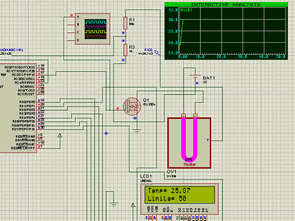
Previously shared CCS C sample application circuit code archive (C and Hex Isis) is a large archive with all source codes and proteus simulation circuits such as CCS C projects shared in the font.
In a majority of CCS C projects, pic16f876 and pic16f877 microcontrollers are used. In projects with USB communication, pic18f4520 pic18F4550 is used.
CCS C PROJECT LIST
T3.E1: Turn on a LED with a switch.
T3.E2: Decimal counter from 0 to 99 with 7 segments.
T3.E3: To control a menu on the LCD with two push buttons.
T3.E4: Displaying the status of a port entry via a graphical display
T3.E5: Displaying data of 3×4 matrix keyboard on LCD.
T3.E6: Access control with keyboard.
T3.E7: Control the speed of a DC motor with the keyboard.
T4.E1: Opening and closing the Led with external cut.
T4.E2: 1 KHz signal generation via TMR0.
T4.E3: 1 second delay generation via TMR1.
T4.E4. Measuring pulse width using TMR1 and external cut.
T4.E5: Generating a 1 KHz signal via TMR2.
T4.E6: Control the speed of a DC motor with the keyboard. Using TMR1. Digital tachometer
T4.E7: Multi-function with one key.
T5.E1: Reading a voltage from channel AN0.
T5.E2: Thermometer with NTC.
T5.E3: NTC and pressure sensor barometer / Altimeter.
T5.E4: Acquisition of negative tensions.
T6.E1: Measurement of a pulse width using the CCP module.
T6.E2: Generating a 2 KHz signal via the CCP module.
T6.E3: Conversion of AD to CCP module. Producing a PWM signal proportional to the measured signal.
T6.E4. Basic oscilloscope with CCP module and graphical display.
T6.E5: PID control of oven temperature.
T6.E6: Problems in the PWM simulation of the CCP module.
T7.E1: PIC serial communication
T7.E2: Serial communication from PIC to PC.
T7.E3: PC communication to the PIC (two-way).
T7.E4. An I2C series EEPROM write / read.
T7.E5: Reading the I2C temperature sensor, an I2C real-time clock for storage of your data in the I2C series EEPROM. Read EEPROM data via serial port.
T8.E1: Real-time clock with PIC18F4520.
T8.E2: Self-regulating voltage amplifier with PIC18F4520.
T9.E1: PID control of an oven temperature with RTOS. More visualization control. Check more screens and programming with the PIC18F4520.
T10.E1: CDC USB.
T10.E2: CDC USB.
SAMPLE PROTEUS CIRCUIT DIAGRAMS

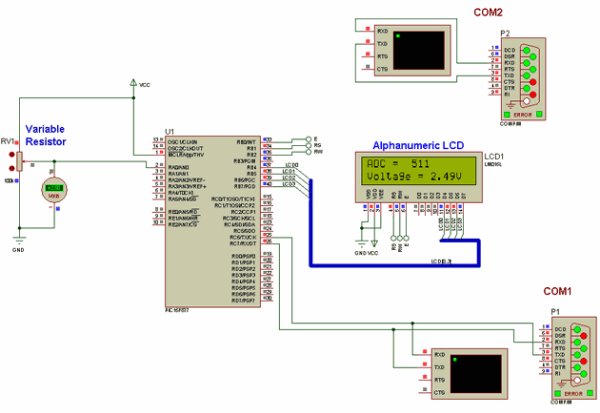
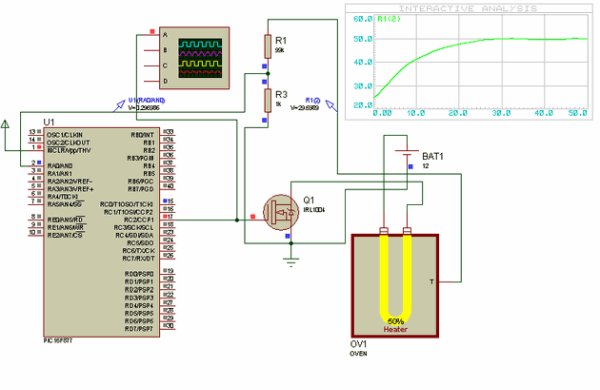
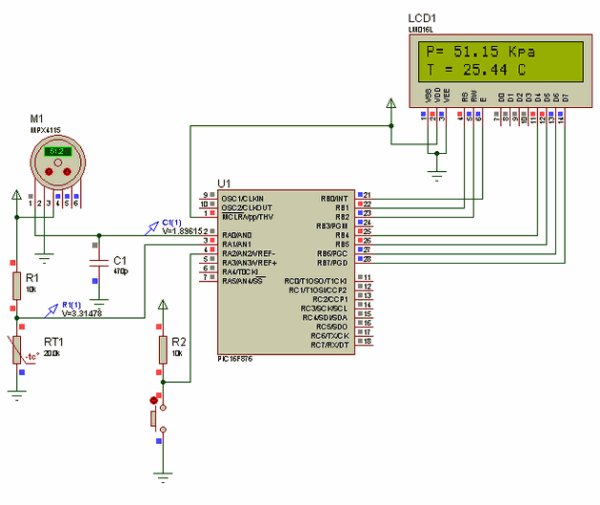
Source: CCS C APPLICATIONS PROTEUS SIMLATIONS
Alternative File Download LINK list (in TXT format): LINKS-25948.zip
- What microcontrollers are mainly used in these CCS C projects?
The projects mainly use PIC16F876 and PIC16F877; USB projects use PIC18F4520 and PIC18F4550. - Does the archive include Proteus simulation circuits?
Yes, the archive includes Proteus simulation circuits (Isis) along with C source and HEX files. - Can I find examples of PWM and CCP module projects?
Yes, there are multiple projects demonstrating PWM and CCP module usage, including PWM generation and PWM-related problems. - What kinds of sensor projects are included?
Included are projects like NTC thermometer, pressure sensor barometer/altimeter, and I2C temperature sensor examples. - Is USB communication covered in the archive?
Yes, USB communication projects are included, such as CDC USB examples using PIC18F4520/4550. - Are serial and I2C communication examples provided?
Yes, the archive contains serial communication examples (PIC to PC, two-way) and I2C EEPROM and sensor read/write examples. - Does the archive include timing and timer examples?
Yes, it includes multiple timer examples using TMR0, TMR1, and TMR2 for signal generation, delays, and pulse measurements. - Are there motor control and tachometer projects?
Yes, several projects demonstrate DC motor speed control via keyboard input and using timers for digital tachometer functionality. - Is PID temperature control demonstrated?
Yes, PID control of oven temperature is included, with examples for PIC16 and PIC18 with RTOS visualization. - Where can I download the archive files?
The article provides an alternative download link list named LINKS-25948.zip.
