
Summary of Calculator for MPLAB C18 using PIC18F452 with Proteus Simulation
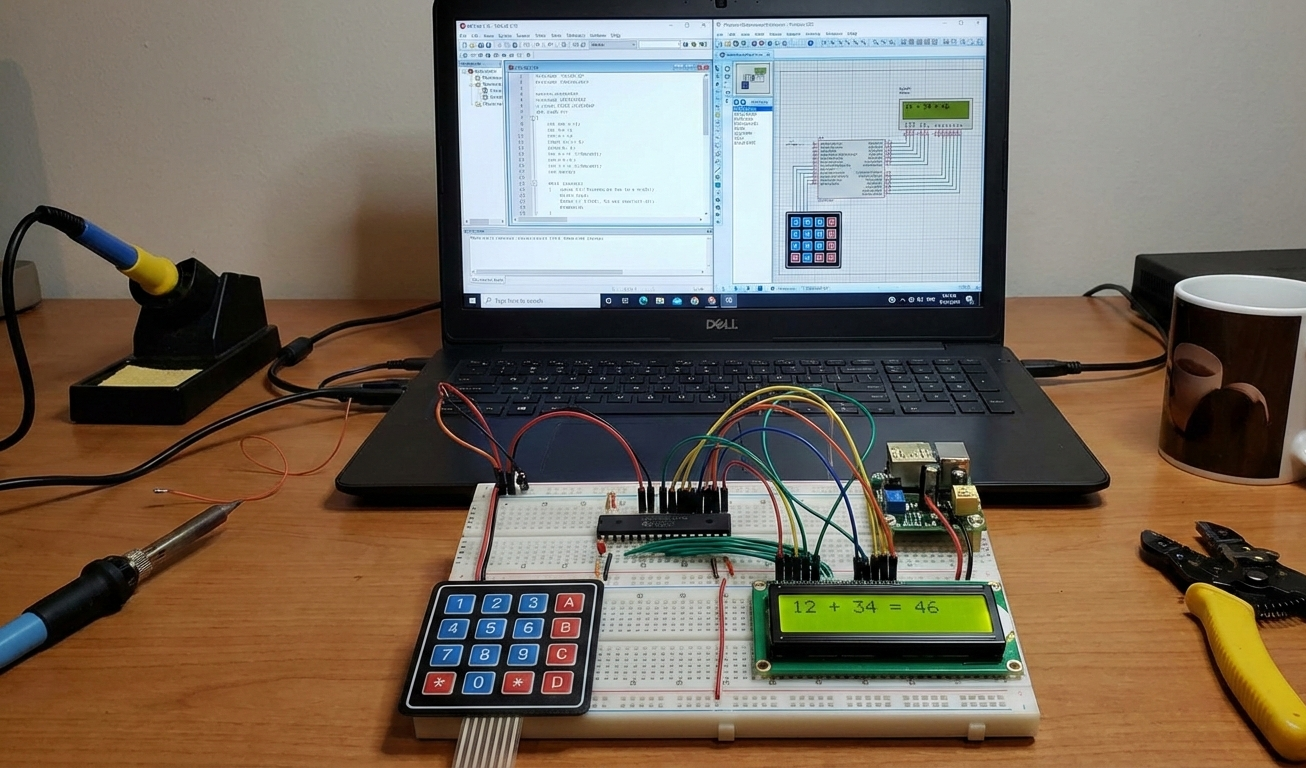
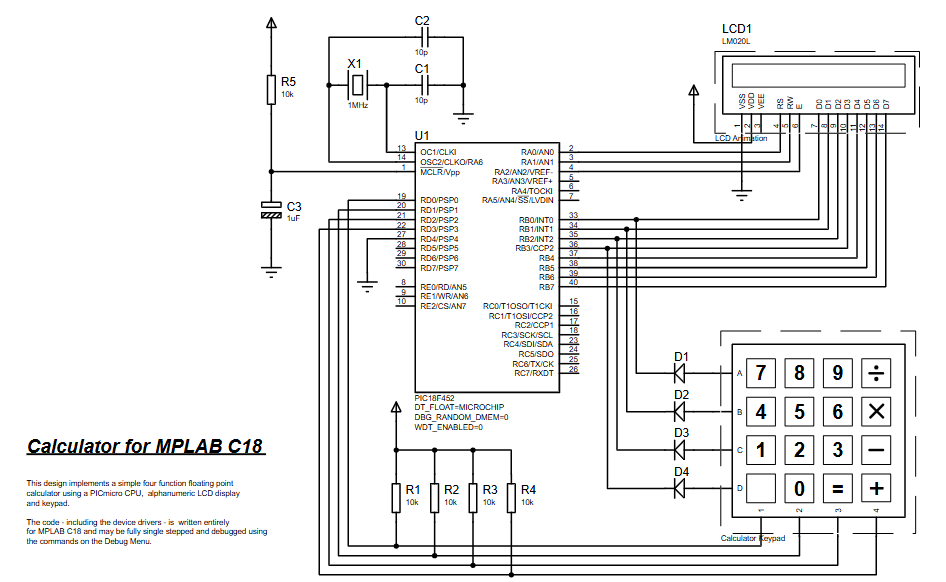
This project implements a floating-point calculator using a PIC18F452 microcontroller, a 16×2 alphanumeric LCD, and a matrix keypad, fully tested in Proteus VSM. Firmware written in MPLAB C18 handles keypad scanning, input buffering, floating-point arithmetic (including division-by-zero handling), custom number formatting, and real-time LCD display. It demonstrates embedded interfacing, firmware logic, and simulation-based debugging for learners.
Parts used in the Calculator for MPLAB C18 using PIC18F452 with Proteus Simulation:
- PIC18F452 microcontroller
- Alphanumeric LCD (LM020L, 16×2)
- Matrix keypad
- Crystal oscillator
- Oscillator capacitors
- Pull-up resistors
- Proteus VSM simulation environment
- Can this project run on other PIC18 devices?
Yes, with minor pin and configuration adjustments as stated in the article. - Why is custom number formatting used?
Because MPLAB C18 math libraries have limited precision for LCD display, so custom formatting ensures accurate decimal presentation. - Can this calculator handle negative numbers?
Yes, negative values are detected and displayed according to the article. - What happens if division by zero occurs?
An error message is shown on the LCD when division-by-zero is detected. - Can more operations be added?
Yes, additional functions like square root or percentage can be added in firmware. - Is this suitable for beginners?
Yes, the article states it is an excellent learning project for embedded systems basics. - Does this work only in Proteus?
No, the same firmware can run on real hardware as noted in the article. - How are user inputs collected?
Numeric keys build numbers digit by digit and operator keys trigger arithmetic processing via a keypad scanning routine. - How are results displayed on the LCD?
Floating-point results are formatted into readable characters, decimal placement handled manually, then written character-by-character to the LCD.

