
Summary of A Minimal USB CDC ACM aka Virtual Serial Port
This page presents a minimal USB Virtual Serial Port firmware for the Microchip PIC18F4550, optimized for small flash (<2500 bytes) and RAM (~230 bytes) using SDCC. It provides a simple CDC ACM implementation (echo sample), build and test instructions for macOS, Linux, and Windows, prerequisites (VID/PID, PICKit2, SDCC, GNU autotools), and basic usage examples for sending data and polling the USB stack.
Parts used in the Virtual Serial Port for PIC18F4550:
- Microchip PIC18F4550 microcontroller
- 4 MHz crystal
- PICKit2 programmer
- pk2cmd software
- GNU autotools
- SDCC C compiler
- cdcacm.inf file (for Windows driver installation)
- USB cable
- Terminal emulator (screen, PuTTY, TeraTerm, etc.)
This page introduces a minimal firmware that implements a USB Virtual Serial Port for Microchip PIC18F4550 processor.
The code has been optimized to use minimal amout of memory (both Flash and RAM) and tuned to work well with the Free SDCC C-compiler.
The code size is less than 2500 bytes and it requires about 230 bytes of RAM memory and it is capable of transferring almost 1 MB/sec (if only the PIC could generate any data at that speed!).
Why Virtual Serial Port
One of the hurdless that faces anyone who wants to interface a modern PC with the real physical world is the fact that most new computers have neither a serial port nor a parallel port that could be utilized to interface with external world. Most come only with USB and Etherner connections.
While USB standard is realy not that bad once you get into grips with the basics, it can be very intimidating. To make matters worse using USB often requires writing device drivers which can be even more intimidating. If you want to support the most common operating systems, Mac OS X, Linux or Windows, the task just gets bigger, easily beyound the resources of a lone developer.
But if you make your device appear as virtual serial port then the drivers will be provided by the courtesy of the operating system ie all the operating systems have built in drivers for serial ports.
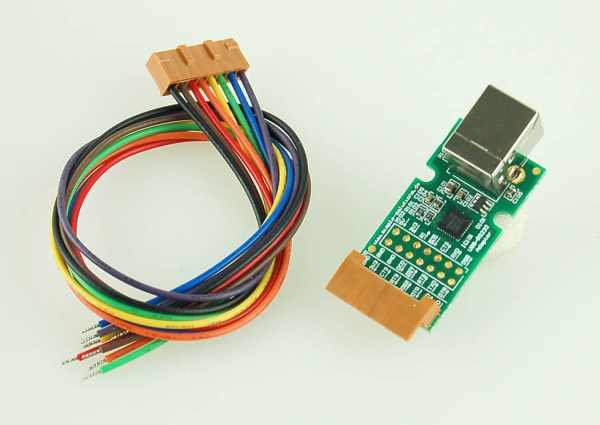 True, there are libraries, I especially want to mention libusb , which make it relatively easy to access and develop a class of USB devices without writing drivers. And libusb is cross platform which I like a lot. Still it is an other dependency for your project and requires a native library to be linked with your host side application which is more work if you want to do cross platform application development with languages like Java, as I do.
Serial ports are easily accessible from various programming languages including C/C++, Python, Java, VisualBASIC etc.
Using the CDC ACM library
It sounds a bit grand to call this a library when in reality it is just one source code file and a three files with USB related ‘#define’s. I’ve created a ready to compile sample project that implements a virtual serial port that just echoes back everything you send to it. You can download the source code from here.
A word of warning about the source code: it was taken from a project that is fully functional but I had to clean it up a bit and remove some personal stuff. It compiles and there is a high probability that it works but I have not had the time to test it after the clean up. If you find any problems, please let me know.
Prerequisites
In priciple you should obtain your own PID and VID for your device from the USB consortium (or more easily from Microchip) but for simple testing and development it is ok to use what I have in the code ie Vendor id = VID = 0x0408 and Product id = PID = 0x000A.
To use the library you need to have ‘GNU autotools’ and ‘SDCC’ installed and in your ‘path’. You can of course compile the code without the autotools as there are just half a dozen files to compile. To program the firmware into the device you need the Microchip PICKit2 programmer and the ‘pk2cmd’ software that supports it on the ‘path’. If you don’t have the PICKit2 you realy should get one, at USD 35 it is a steal and it is supported on Linux, Windows and Mac OS X.
And naturally you need a PIC18F4550 device with 4 MHz xtal. It is also possible to use the other PIC18F series devices and crystals but some changes to the link and config options maybe necessary.
Compiling
To compile the code unzip the project into a directory and just cd to the directory where you have the code and type make. This should compile the code and program it to the device if you have the PICKit2 in readiness. The object code and resulting hex file will be placed in a directory obj parallel to the source directory.
Testing
To test it you need a terminal emulator. Plug your device to the USB port, open the terminal emulator, select the correct port and everything you type should be echoed back to the terminal.
Testing on Mac OS X
In Mac OS X type ls /dev/tty.usb* to get a list of USB virtual serial ports and then use the built in screen terminal to talk to it.
For example:
ls /dev/tty.usb* /dev/tty.usbmodem5d11 screen /dev/tty.usbmodem5d11
Testing on Linux
In Linux type ls /dev/ttyACM* to get a list of USB virtual serial ports and then use the built in screen terminal to talk to it.
For example:
ls /dev/tty.ACM* /dev/tty.ACM0 screen /dev/ttyACM0
Testing on Windows
In Windows you need to install an .inf file that will associate your device with the built in driver.
To install the ‘driver’ plug in the device and go to the Device Manager. Look for an ‘Unknown device’ and select ‘Properties’ for that device, then select ‘Install Driver’, browse to the cdcacm.inf file which is included with the project files.
Note the file has not been tested after clean up so there maybe some errors.
Also note that if you change the PID/VID of the device (and in the long run you should) then you need to update the cdcacm.inf file and re-install it.
After succesfull installation the device should appear as a COM port and you can use a terminal emulator such as PuTTY or TeraTerm to talk to it.
// send six bytes ie 'Hello\n'
   while (usbcdc_wr_busy())
      /* wait */;
   cdc_tx_buffer[0]= 'H';
   cdc_tx_buffer[1]= 'e';
   cdc_tx_buffer[2]= 'l';
   cdc_tx_buffer[3]= 'l';
   cdc_tx_buffer[4]= 'o';
   cdc_tx_buffer[5]= '\n';
   usbcdc_write(6);
   }
Understanding the Library
The library realy is simple to use, basically there are two functions and two buffers for transferring the data in and out of the device, there is a function that needs to be called periodically to poll the USB bus, there is a function to initilize the library and auxiliary functions to implement standard putc/getc functionality.
Note that the library code is written from the device point of view, ie ‘tx’,’put’ means that the device sends something to the host which maybe confusing because on this is called ‘input’ direction in USB terminology and the host code would use ‘read’ functions to receive the data. Just thought I’d mention this.
For more detail: A Minimal USB CDC ACM aka Virtual Serial Port
- Why use a virtual serial port instead of raw USB?
Because making the device appear as a serial port uses built-in OS drivers, avoiding custom driver development across Mac OS X, Linux, and Windows. - What are the code size and RAM requirements of this firmware?
The code size is less than 2500 bytes and it requires about 230 bytes of RAM. - Which microcontroller and crystal are required?
A PIC18F4550 device with a 4 MHz crystal is required for this project. - What tools are needed to compile and program the firmware?
GNU autotools, SDCC compiler, PICKit2 hardware, and pk2cmd software are needed (autotools optional if compiling manually). - How do you test the device on macOS?
List USB serial devices with ls /dev/tty.usb* and use screen to connect, e.g., screen /dev/tty.usbmodem5d11. - How do you test the device on Linux?
List USB CDC devices with ls /dev/ttyACM* and use screen to connect, e.g., screen /dev/ttyACM0. - How do you install the driver on Windows?
Plug in the device, open Device Manager for the Unknown device, select Install Driver, and browse to the provided cdcacm.inf file. - Can you change the VID/PID in the code?
Yes, but if you change PID/VID you must update and re-install the cdcacm.inf file on Windows. - How does the example send data from the device to the host?
Fill the cdc_tx_buffer with bytes, wait for usbcdc_wr_busy to clear, then call usbcdc_write with the byte count (example sends Hellon).
