
Summary of Electronic lock using pic microcontroller
Security is a prime concern in our day-to-day life. This article describes a PIC16F877A microcontroller based electronic door lock that uses a 4x3 matrix keypad and 16x2 LCD. The system stores a 4-digit password in EEPROM (default 2345), accepts input between * and #, grants access by activating a port output (simulated with an LED on PORTA bit 0), and allows changing the password using the master sequence *23455#newcode. The program displays prompts and results on the LCD and debounces/scans keypad input.
Parts used in the Electronic Code Lock:
- PIC16F877A microcontroller
- 4x3 matrix keypad
- 16x2 LCD display
- Relay (for door actuator)
- LED (for simulation on PORTA bit 0)
- EEPROM (internal to PIC16F877A for password storage)
- Power supply (suitable for PIC and peripherals)
- Connecting wires and PCB or breadboard
Security is a prime concern in our day-today life. Everyone wants to be as much secure as possible. An access control for doors forms a vital link in a security chain. The microcontroller based digital lock for Doors is an access control system that allows only authorized persons to access a restricted area.
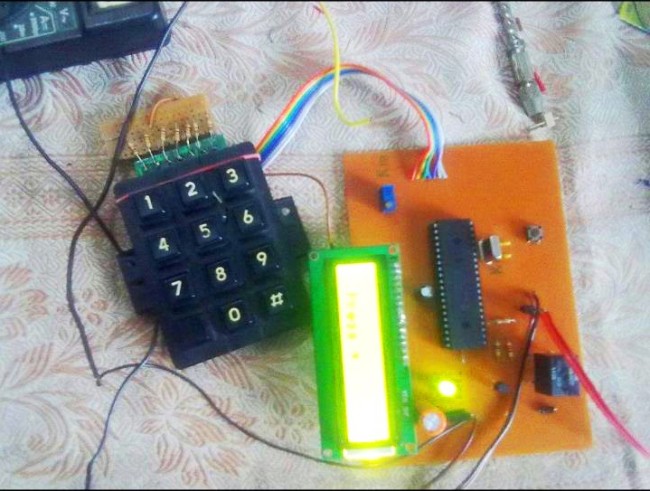
Electronic lock using pic microcontroller Circuit Diagram
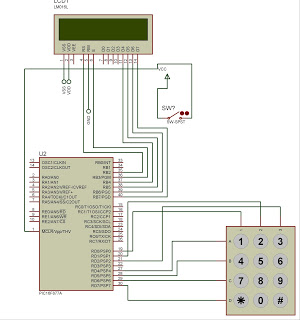
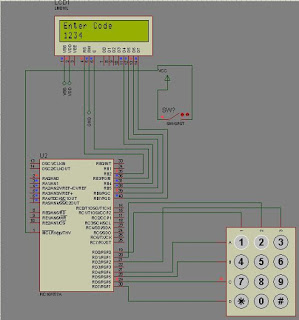
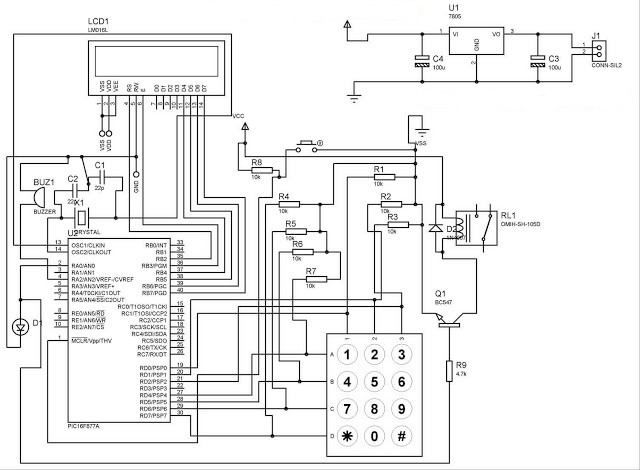
An electronic lock or digital lock is a device which has an electronic control assembly attached to it. They are provided with an access control system. This system allows the user to unlock the device with a password. The password is entered by making use of a keypad. The user can also set his password to ensure better protection. The major components include a Keypad, LCD and the controller PIC16F877A. This article describes the making of an electronic code lock using the 16F877A microcontroller.
The system is fully controlled by the 8 bit microcontroller 16F877A which has a 8Kbytes of ROM for the program memory. The password is stored in the EPROM so that we can change it at any time. The system has a Keypad by which the password can be entered through it. When the entered password equals with the password stored in the memory then the relay gets on and so that the door is opened.
The code is built in a modular style to allow a user to find ways to modify project. In start the D Lock programs loads with a default code of “2345” format is *2345# which can be enter to unlock the door, the code cam be change by entering the master code in the format *23455#new 4 digit code. In this program I display only the result on LCD and lock will be connected to PORTA bit 0 where I put led for simulation.
A 4×3 matrix keypad and a 16×2 LCD have been used here. Keypad and LCD are very commonly used input & output devices, respectively. The password is stored in the system EEPROM.
While unlocking, if the entered password from keypad matches with the stored password, then the lock opens and a message is displayed on LCD. Also an output pin is made high to be used for further purpose.
As the program starts, wait for 5sec and press * string ‘Enter Password’ is displayed on LCD. The keypad is scanned for pressed digits one by one. Every time, row and column of the key pressed is detected and is displayed on LCD. After the four digits are entered, the user should press # to Confirm Password and again the input is taken through LCD. If the passwords do not match, a message is displayed to indicate ‘Access Denied’ otherwise the ‘Access Granted’ message.
The default password is 2345 and master key to change password is 23455., entry begins with * and stops with #.
- What microcontroller is used in the project?
The project uses the 8-bit PIC16F877A microcontroller. - How is the password entered?
The password is entered using a 4x3 matrix keypad, beginning with * and ending with #. - Where is the password stored?
The password is stored in the microcontroller EEPROM. - What is the default password and master key?
The default password is 2345 and the master key sequence to change the password is 23455. - How do you change the password?
Enter the master code in the format *23455# followed by the new 4-digit code. - What indicates access granted or denied?
The LCD displays Access Granted or Access Denied and an output pin is made high when access is granted. - Which port bit is used for lock simulation?
PORTA bit 0 is used for the lock simulation using an LED. - What happens after entering four digits?
After four digits are entered, the user presses # to confirm the password and the system validates it.
