
Summary of PICC18 Calculator using PIC18F452 with Proteus Simulation
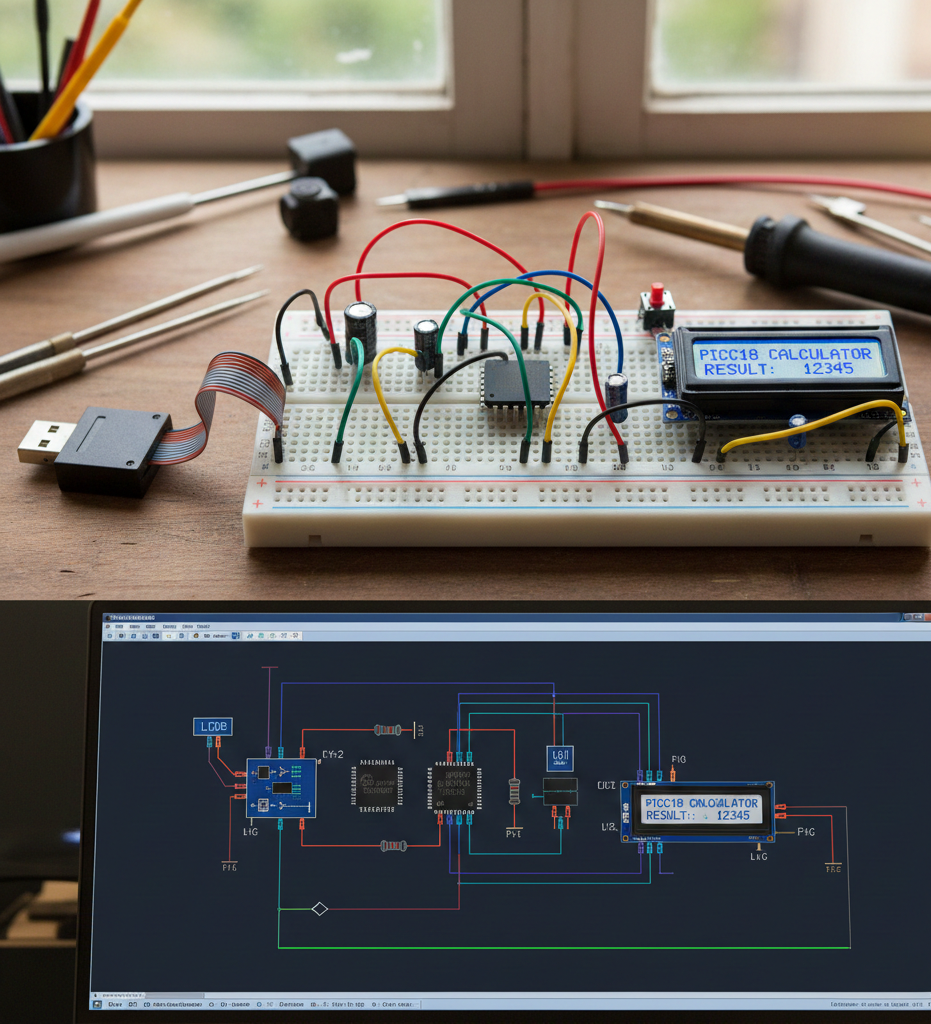
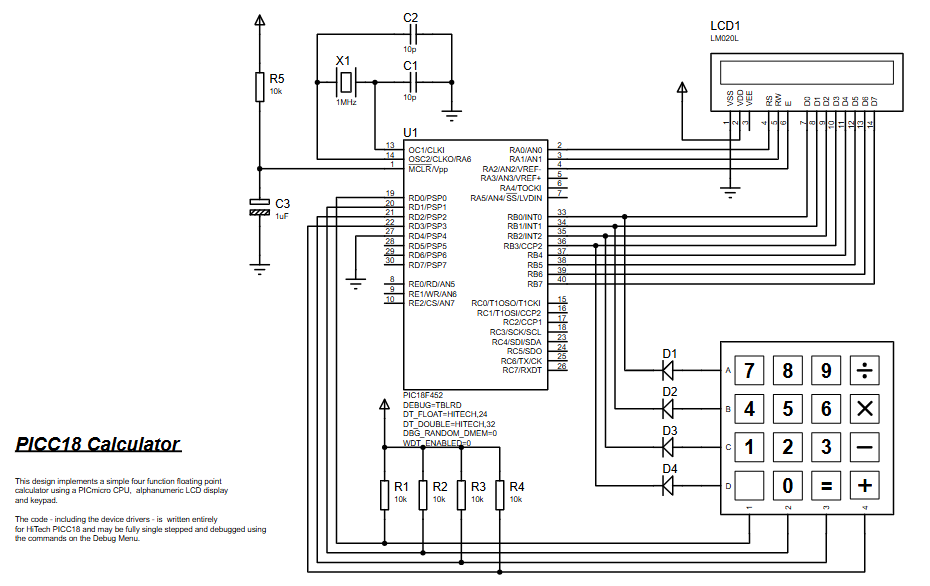
This PICC18 Calculator turns a PIC18F452 into a basic four-function calculator for Proteus simulation, using a 4×4 keypad for input and a 16×2 LCD for output. It demonstrates keypad scanning, LCD interfacing, number buffering, operator chaining, floating-point operations via atof(), and division-by-zero handling with an *ERROR* message—making it a compact, extendable learning project for embedded systems.
Parts used in the PICC18 Calculator:
- PIC18F452 microcontroller
- 16×2 LCD (LM020L) in 8-bit mode (D0–D7 plus control pins)
- 4×4 Keypad (digits and operators)
- Crystal oscillator X1 (1 MHz)
- Capacitors C1, C2 (10 pF)
- Reset capacitor C3 (1 µF)
- Reset resistor R5 (10 kΩ)
- Pull resistors R1–R4 (10 kΩ for keypad lines)
- Diodes D1–D4 on keypad row lines
- Why does the LCD show nothing in Proteus?
Because the display depends on routines like lcd_init(), clearscreen(), and wrdata(); if those are missing or mismatched the LCD will not update. - The keypad doesn’t respond—what should I check first?
Check that keypadread() is functioning and Proteus wiring for the keypad, since the firmware waits until keypadread() returns a non-zero value. - Can I run this on another PIC18 device?
Possibly, but port mapping (LCD and keypad lines) is schematic-specific and moving to another PIC may require pin and port changes. - Why is the display formatting custom instead of using printf?
The code uses calc_format() with divisors to control display width and decimal placement rather than using printf. - How does the project handle multiple operations in a row?
It stores the previous operator in lastop and executes calc_opfunctions(lastop) when a new operator is entered before updating lastop. - What happens if I press operators without entering numbers?
The logic resets the input buffer and uses lastop to detect consecutive operator behavior; results depend on the current lvalue and rvalue state. - Why do I get *ERROR* sometimes?
*ERROR* is displayed when a division by zero occurs (division operator with rvalue equal to zero). - Can I add a Clear (C) key?
Yes; treat a keypad character as a reset command to clear the buffer and set lvalue, rvalue, and lastop back to zero then call calc_format(0).

