
Summary of Panelization – using GerberPanelizer on Windows
This article explains using GerberPanelizer (Windows tool, possibly via Mono on Linux) to panelize PCB gerbers, focusing on KiCad exports and workflow: generate Gerber files into separate folders per project, optionally panelize multiples of the same board, and use online Gerber viewer or KiCad 3D viewer to check outputs. It references a GitHub issue about Linux steps and notes Eagle-specific CAM tips on the panelizer page.
Parts used in the GerberPanelizer panelization project:
- GerberPanelizer software (from ThisIsNotRocketScience.nl)
- Gerber files exported from EDA tool (KiCad in this tutorial)
- Mono (suggested for running on Linux)
- GitHub issue/steps describing Linux launch
- Online Gerber files viewer (for checking renders)
- KiCad 3D viewer (for additional checks)
This tutorial was done on Windows. Authors claim it could also be used on Linux by using Mono, but I haven’t tried and don’t understand a lot about Mono to see what could be done. I am switching to Linux nowadays, so I’d be very grateful to anybody that’d make instructions on how to launch it, however – and I’m sure other fellow Linux-wielding engineers will be grateful, too =)
This is the GitHub issue describing steps to launch it on Linux, half-successfully (thanks to @jlbrian7 for figuring this out)
The tool I’m personally using to panelize boards is GerberPanelizer from ThisIsNotRocketScience.nl. It’s a wonderful tool that allows you to panelize PCBs, mainly using tabs&mousebites. There are more tools in the archive, they all seem Gerber-related but I didn’t even go through them =)
I’m using KiCad myself, so I’ll mainly work with KiCad-made gerbers. The panelizer project page has some tips for Eagle users as well, related to CAM files, so if you’re an Eagle user, check it out, it can help with some moments. I’d love to cover Gerber generation for different EDA packages (actually, not), but Internet has plenty of tutorials on those. There’s a good online Gerber files viewer (needs gerber ZIPs) which gives out pretty renderings of your board, so you can use it to check your Gerbers – I do that all the time (and KiCad 3D viewer helps, too).
No matter your EDA tool, the workflow is simple – first, you have to have gerber files in separate folders for each project.
Gerber export tutorial – KiCad (with important Panelizer-specific notes)
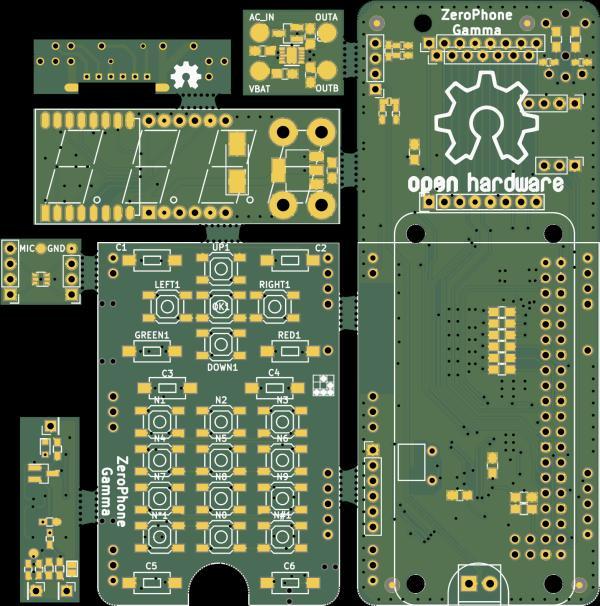
Generate gerbers for each project that you want to include on the panel. You should have a couple of separate folders with gerber files – or in case you want to panelize multiples of the same board, just one folder.
Read more: Panelization – using GerberPanelizer on Windows
- Can GerberPanelizer be used on Linux?
Authors claim it could be used on Linux by using Mono, though the author of the article has not tried it. - How do I prepare files before panelizing?
You must have gerber files in separate folders for each project or one folder if panelizing multiples of the same board. - Which EDA tool does the tutorial focus on?
The tutorial mainly works with gerbers generated by KiCad. - Is there guidance for Eagle users?
The panelizer project page has some tips for Eagle users related to CAM files. - What tool does the author personally use for panelizing?
The author uses GerberPanelizer from ThisIsNotRocketScience.nl. - How can I check my Gerber outputs?
Use a good online Gerber files viewer that accepts gerber ZIPs and KiCad 3D viewer to check outputs. - Where can I find steps to launch GerberPanelizer on Linux?
There is a GitHub issue describing steps to launch it on Linux, referenced in the article.

