
Summary of MOVIDIUS DEEP LEARNING USB STICK BY INTEL
Intel recently launched the Movidius Neural Compute Stick, a deep learning processor acquired from Movidius. Based on the MA2150 chip, this USB device enables low-power machine learning inference for applications like drones and security cameras without requiring cloud connectivity. Users can prototype, tune, and deploy trained Caffe neural networks using the Movidius toolkit to run directly on the embedded Myriad 2 VPU.
Parts used in the Movidius Neural Compute Stick:
- Movidius MA2150 chip
- Myriad 2 Vision Processor family
- USB Type A port
- Movidius toolkit
- Neural Compute Platform API
- Caffe deep learning framework
- Convolutional Neural Network (CNN)
ast week, Intel launched the Movidius Neural Compute Stick, which is a deep learning processor on a USB stick.
This USB stick was not an Intel invention. In fact, Intel had acquired Movidius company that had produced last year the world’s first deep learning processor on a USB stick based around their Myriad 2 Vision Processor.
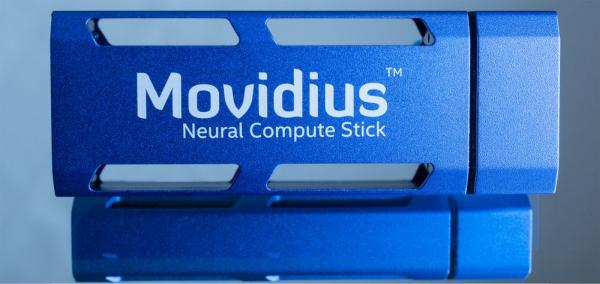
Neural Compute Stick is based around the Movidius MA2150, the entry level chip in the Movidius Myriad 2 family of vision processing units (VPUs). Using this stick will allow you to add some artificial visual intelligence to your applications like drones and security cameras.
Movidius Neural Compute Stick form factor device enables you prototype and tune your deep neural network. Moreover, the USB form factor connects to existing hosts and other prototyping platforms. At the same time, the VPU provides machine learning on a low-power inference engine.
Actually, the stick role comes after training your algorithm where it is ready to try real data. All you have to do is to translate your trained neural network from the desktop using the Movidius toolkit into an algorithm application inside the stick. Later on, the toolkit will optimize this input to run on the Myriad 2 VPU. Note that your trained network should be compatible with Caffe deep learning framework.
It is a simple process
- Enter a trained Caffe
- Feed-forward Convolutional Neural Network (CNN) into the toolkit
- Profile it
- Compile a tuned version ready for embedded deployment using the Neural Compute Platform API.
An outstanding feature is that the stick can work without any connection to cloud or network connection, allowing to add smart features to really small devices with lower consumption. This feature may be on of the revolutionary ideas to start combining IoT and machine learning devices.
Neural Compute Stick Features
- Supports CNN profiling, prototyping, and tuning workflow
- All data and power provided over a single USB Type A port
- Real-time, on device inference – cloud connectivity not required
- Run multiple devices on the same platform to scale performance
- Quickly deploy existing CNN models or uniquely trained network
Read More: MOVIDIUS DEEP LEARNING USB STICK BY INTEL
- What is the Movidius Neural Compute Stick?
It is a deep learning processor on a USB stick based around the Movidius MA2150 chip. - Can the stick work without a network connection?
Yes, it provides real-time, on-device inference without any connection to the cloud or network. - How do you prepare a neural network for the stick?
You must translate your trained network from the desktop using the Movidius toolkit into an algorithm application inside the stick. - Which deep learning framework is required?
The trained network should be compatible with the Caffe deep learning framework. - What power source does the device use?
All data and power are provided over a single USB Type A port. - Can multiple devices be used together?
Yes, you can run multiple devices on the same platform to scale performance. - What types of applications benefit from this stick?
It allows adding artificial visual intelligence to applications like drones and security cameras. - Does the toolkit optimize the input for the hardware?
Yes, the toolkit optimizes the input to run on the Myriad 2 VPU after compilation.

