
Summary of MTOUCH Single Button using PIC16F887 with Proteus Simulation
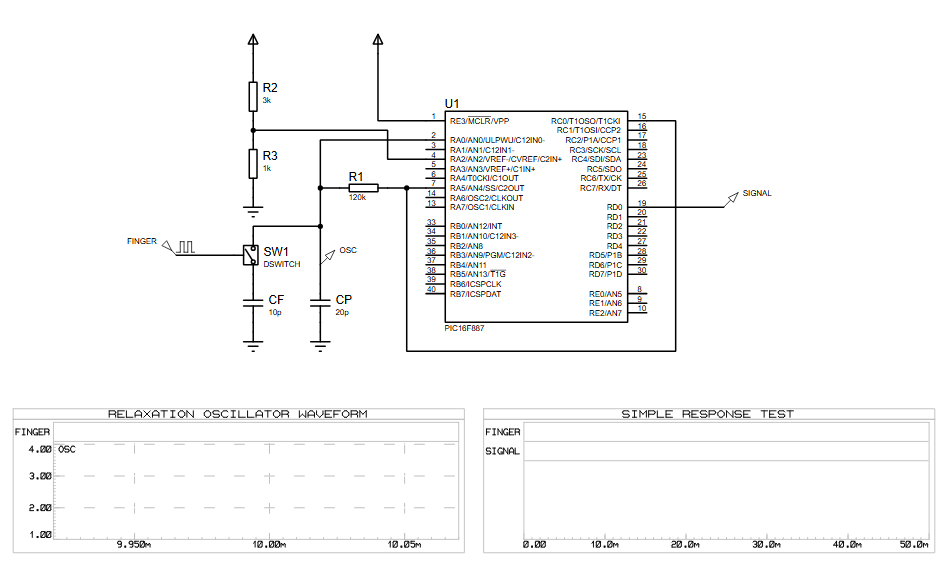
This article details the MTOUCH Single Button project, a capacitive touch sensing system simulated in Proteus using the PIC16F887 microcontroller. It employs a relaxation oscillator technique where touching a sensor pad alters capacitance, changing oscillation frequency to trigger a signal response. The project serves as an educational tool for embedded systems, demonstrating touch interface design with minimal components and real-time waveform monitoring without physical hardware.
Parts used in the MTOUCH Single Button:
- PIC16F887 Microcontroller
- Resistor R1 (120kΩ)
- Resistor R2 (3kΩ)
- Resistor R3 (1kΩ)
- Capacitor CF (10pF)
- Capacitor CP (20pF)
- Touch Switch / Sensor Pad
- Signal Output Node
- Proteus Virtual Oscilloscope / Graph Tools
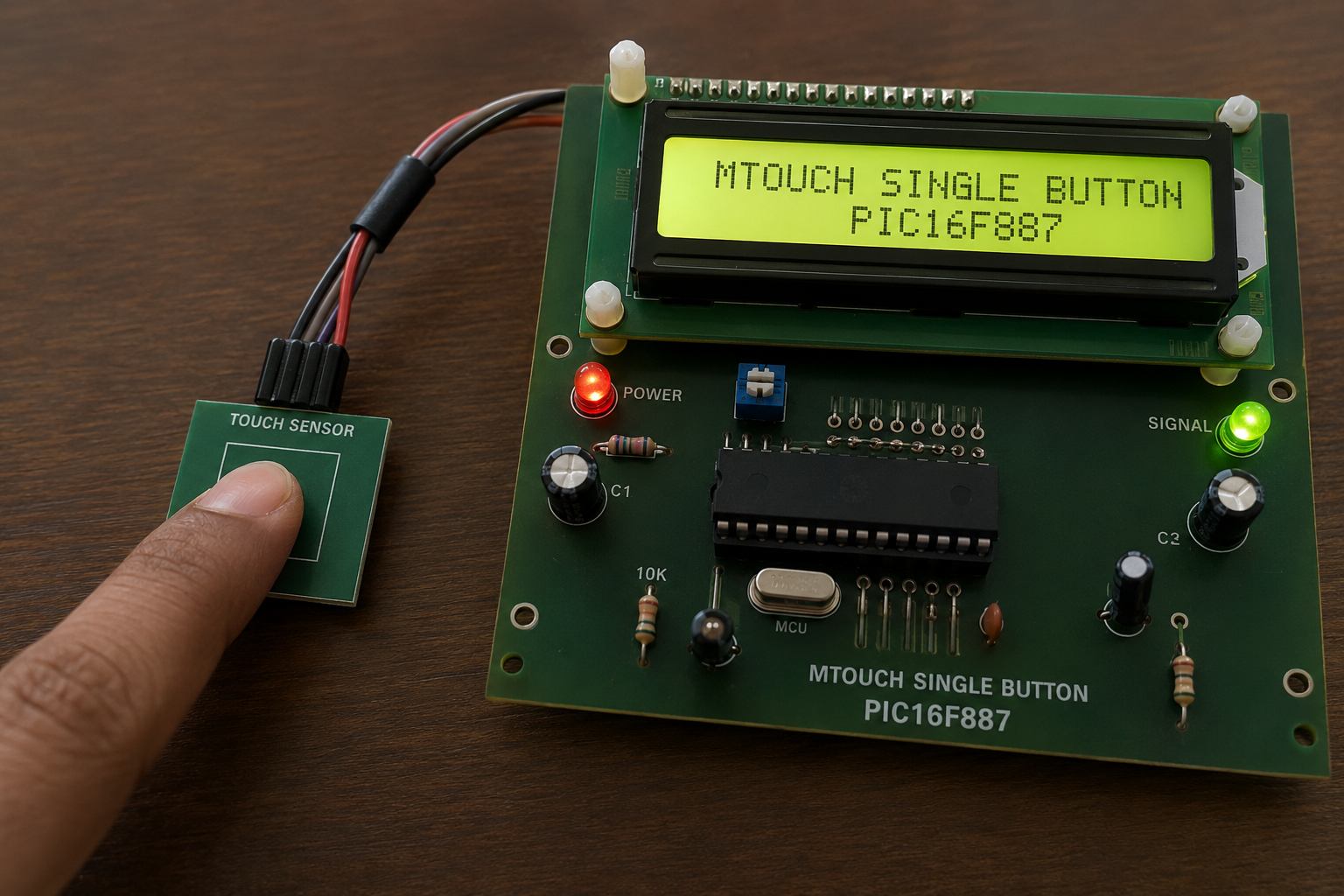
- How does the project detect human touch?
Touching the FINGER pad changes electrical capacitance, which alters the frequency of the relaxation oscillator network. - What microcontroller is used in this simulation?
The project uses the PIC16F887 microcontroller to monitor the oscillator and generate output responses. - Can this project be tested without physical hardware?
Yes, the Proteus simulation environment allows developers to test the working principle without requiring physical hardware. - Does the oscillator frequency change when touched?
Yes, the oscillation frequency varies depending on whether the touch conditions are active or inactive. - What software tools are used to observe the response?
Proteus Virtual Oscilloscope and Graph Tools display the RELAXTION OSCILLATOR WAVEFORM and SIMPLE RESPONSE TEST graphs. - How does the firmware determine a valid touch event?
The firmware analyzes signal timing variations based on predefined thresholds to decide if a valid touch has occurred. - Is dedicated touch controller hardware required for this design?
No, the design demonstrates implementation without requiring dedicated touch controller hardware. - What happens after a touch is detected by the controller?
The controller activates the SIGNAL output line to indicate the detection event.

