
Summary of PIC16F877 Driving LCD using PIC16F877 with Proteus Simulation
This article details a Proteus simulation project where a PIC16F877 microcontroller drives an Ampire 128x64 LCD. It highlights the workflow from writing code in Crownhill PIC BASIC Plus to compiling firmware and testing it via single-stepping in Proteus VSM. Ideal for students, this project demonstrates embedded system interfacing, allowing users to visualize control signals and debug logic before hardware implementation.
Parts used in the PIC16F877 Driving LCD Project:
- PIC16F877 microcontroller
- Ampire 128x64 LCD module
- VCC power connection
- GND connection
- Proteus VSM simulation environment
- Crownhill PIC BASIC Plus Compiler environment
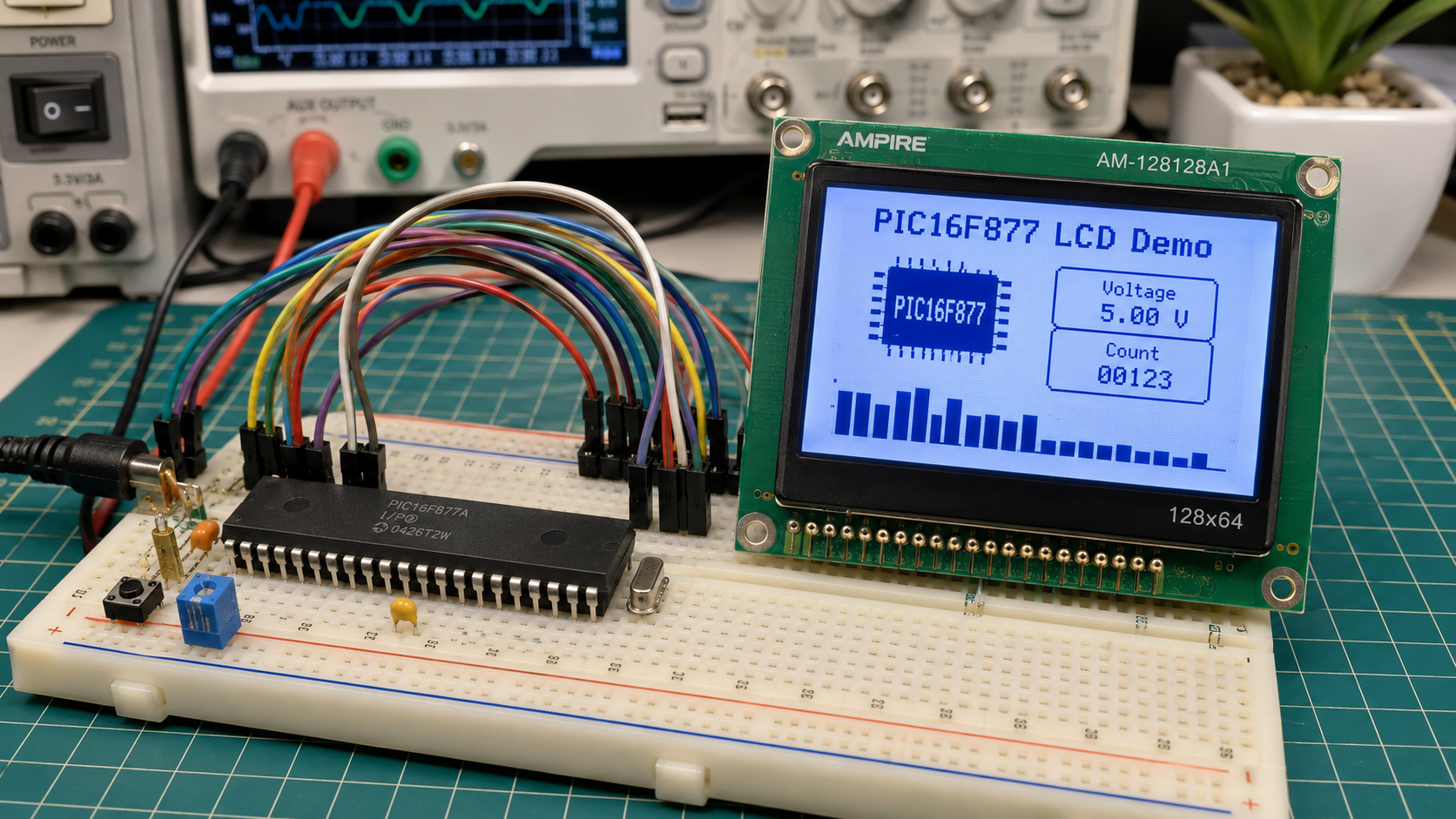
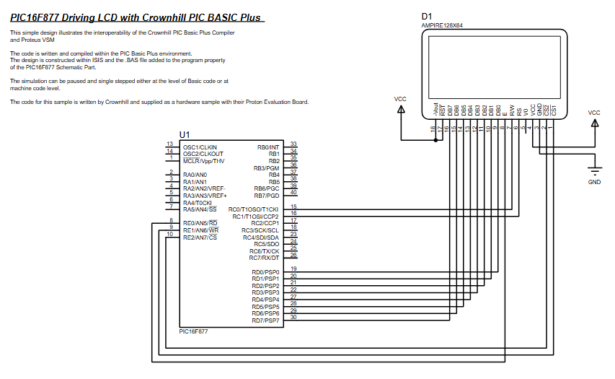
- How does the project work?
The PIC16F877 sends control and data signals to the LCD through connected pins to initialize the display and show output based on compiled firmware. - What compiler is used for the firmware?
The firmware is written and compiled using the Crownhill PIC BASIC Plus environment. - Can the simulation be paused?
Yes, the Proteus simulation supports pausing and single-stepping at both the BASIC code level and machine code level. - What type of interface connects the microcontroller to the LCD?
The design uses a parallel LCD interface with multiple PIC pins connected directly to the LCD control and data pins. - How is the firmware loaded into the simulation?
The compiled firmware is attached to the PIC16F877 schematic part inside the Proteus simulation environment. - Why is this project useful for beginners?
It allows learners to explore how firmware, circuit connections, and simulation tools work together before using real hardware. - What are the main tasks performed by the firmware?
The firmware handles LCD initialization, data communication via the parallel interface, and execution of programmed logic. - Does the LCD receive power in the simulation?
Yes, the LCD receives power through VCC and GND connections within the circuit diagram.

