
Summary of MATLAB to PIC serial interface using PIC16F877 microcontroller
This article guides users in establishing a serial communication link between MATLAB and a PIC16F877 microcontroller. It highlights critical setup steps, such as matching baud rates and ensuring common ground connections. The text details two wiring methods: using a 22kΩ resistor or a MAX232 chip with specific capacitors. Troubleshooting tips include verifying data transmission via serial loopback cables and utilizing free monitoring software to confirm proper signal flow.
Parts used in the MATLAB to PIC Serial Interface:
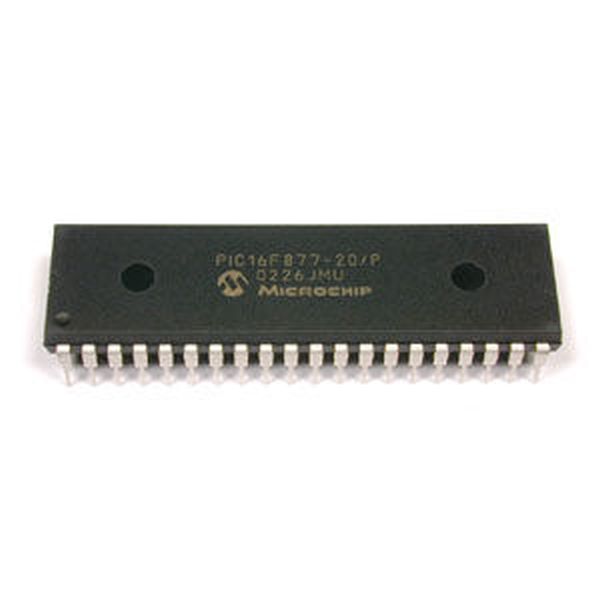
- PIC16F877 microcontroller
- Computer with MATLAB installed
- Serial port (DB9 cable)
- 22kohm resistor
- MAX232 chip
- CAPACITORS (specific values for MAX232 vs MAX232A)
- Ground wires
MATLAB to PIC serial interface
some code to let MATLAB talk to a PIC16f877 via the serial port. This isn’t that hard nor is it much code, but I spent a decent amount of time figuring it all out (starting from scratch), so I figured it would be helpful. Enjoy.
Code with comments
below is some code I pasted in. Download the .txt file if you want the code. See the pictures for help witht he serial interface. One shows the 22kohm resistor method of connecting your serial port to a PIC. The other shows the max232 method of connecting your serial port to a PIC.
With serial connections the most common problem is not setting the computer and the PIC to the same Baud Rate, so make sure you do that (as it’s done in my code).

Also, make sure you’ve connected all of the GNDs together (PIC, MAX232, and Computer GNDs all connected).
Also, make sure that you’re using the right capacitor value for the max232 (max232 vs. max232A), see diagram in the instructable for the proper values.
Also, make sure that your computer is sending the values you think it is sending. To do this, stick wires into your DB9 cable to make a serial loopback. This will make the computer get back exactly what it has just sent. Here’s a diagram of how to wire this up:
http://electrosofts.com/serial/loopback.jpg
So make your matlab code do a serial read right after the serial write.
You can also use free serial port monitoring software to makesure serial communications are occuring properly (here’s one example http://www.batchconverter.com/FreeSerialPortMonitor-download-20643.shtml).
For more detail: MATLAB to PIC serial interface using PIC16F877 microcontroller
- What is the most common problem when setting up serial connections?
The most common problem is not setting the computer and the PIC to the same Baud Rate. - How should the ground connections be handled?
You must connect all GNDs together, including those of the PIC, MAX232, and Computer. - Which components are required for the MAX232 method?
The MAX232 chip requires specific capacitor values depending on whether you use the MAX232 or MAX232A version. - How can I verify if my computer is sending the correct values?
You can stick wires into your DB9 cable to create a serial loopback that returns exactly what was sent. - When should I perform a serial read after writing?
You should make your MATLAB code do a serial read right after the serial write during testing. - Can I use external software to monitor the connection?
Yes, you can use free serial port monitoring software to ensure communications are occurring properly. - Is there an alternative to the MAX232 for connecting the serial port?
Yes, you can use the 22kohm resistor method of connecting your serial port to a PIC. - Where can I find a diagram for the serial loopback wiring?
A diagram is available at http://electrosofts.com/serial/loopback.jpg.
