


Summary of The Saltwater etch process using PIC16F54 microcontroller
This article details a beginner-friendly tutorial for creating a custom 18-pin PIC microcontroller circuit board using a saltwater electrolysis etching process. The guide covers cutting copper-clad laminate to size, scoring and breaking the board along marked lines, and cleaning the surface before etching. It specifically addresses design choices for an 18-pin PIC (like the PC16F54), including connector spacing and component placement for breadboard compatibility.Parts used in the Saltwater Etch Process:
- Copper clad board
- Ruler or straightedge
- Knife
- Sandpaper
- Abrasive cleaning pad
- Saltwater solution
- 18-pin PIC microcontroller (e.g., PC16F54)
- Crystal oscillator
- Capacitors
- Resistor
- .1" pitch connectors
The Saltwater etch process
This is a one-off process to produce one printed circuit board by removing unwanted copper by electrolysis in a saltwater solution.
I shall illustrate the process by etching and building a board for 18-pin PIC (for the PC16F54, but any 18 pin PIC will fit in it) in the figure. It has to plug into my breadboard and accept the programming signals from my PIC programmer (just go to http://geocities.com/it2n/circuits.html and look at it).
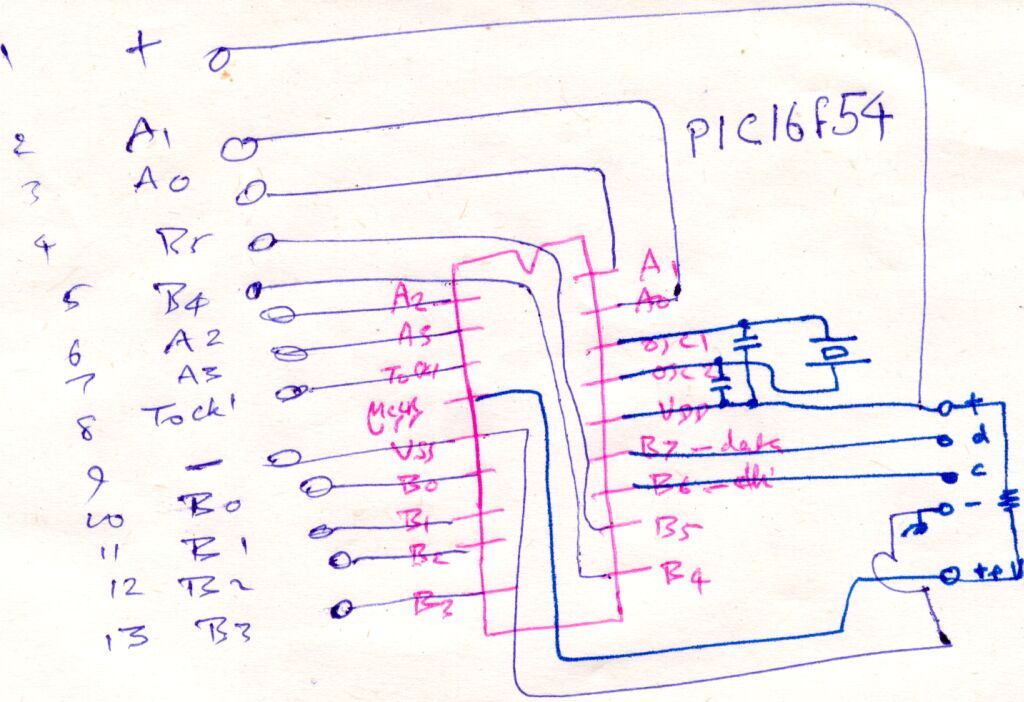
To avoid battling with signal conflicts, the two programming pins shall not be brought to the breadboard. To play around with the clock frequency, the crystal shall be made pluggable. The Master clear signal will not be brought out.
These decisions mean a board with two .1" pitch connectors, one with 13 connections and the other with five connections, one pin spaced apart from the rest.
This is a tutorial intended for the absolute beginner, and almost every step shall be illustrated. I've even included a video of the etching process.
Step 1
Decide how large the board has to be
Step 2
Score a line on the copper
If you bear down with the knife, chances are that it might wander and cut the board deeply where you do not want it cut - and you will be looking ruefully down on your ruined PCB stock. Be patient. Being patient has its own virtues, as life will invariably teach you.
Step 3
Make that line a deeper groove
Then at each edge, mark the plain surface of the board and draw a line there, too, exactly on the other side.
Step 4
Score the other side
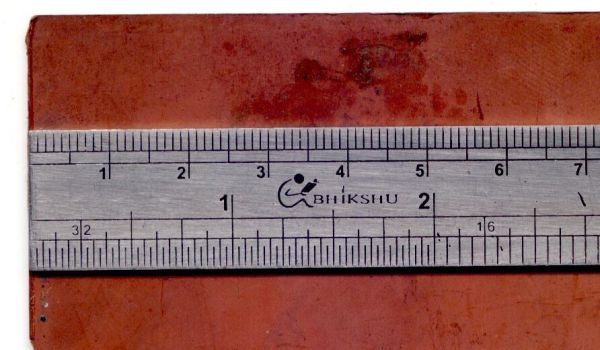
This is the copper side, with a deep groove.
Step 5
Groove on the plain side
Step 6
Break it apart
Step 7
The cut piece of PCB laminate
Step 8
Decide how large it has to be
Arranging them all on the board, it seems that about 2" will be sufficient.
Step 9
Clean the board
- How do you cut the copper clad board to size?
Score the line multiple times with a knife while holding a ruler firmly, then deepen the groove on both sides before snapping the board. - What is the minimum width required for the 13-connection side?
The board needs at least 1.3 inches to accommodate 13 pins spaced 0.1 inch apart, though 1.5 inches is recommended. - Can I use a kitchen abrasive pad for cleaning the copper?
You can use one, but it should not be returned to the kitchen because copper is toxic. - Which signals are excluded from the board design?
The two programming pins and the Master clear signal are not brought out to avoid signal conflicts. - Why is the crystal made pluggable?
Making the crystal pluggable allows the user to experiment with different clock frequencies. - How do you ensure the board breaks neatly after scoring?
You must score deep grooves on both the copper side and the plain side of the laminate so bending causes a clean break. - What components fit on the estimated 2-inch length of the board?
The two connectors, the PIC, the crystal, some capacitors, and one resistor fit within this dimension.
Related projects
PIC16F877 Driving LCD in 4-Bit Mode using PIC16F877 with Proteus Simulation
Introduction This microcontroller project shows how a PIC16F877 can drive an LCD display using 4-bit mode inside a Proteus simulation.The project demonstrates...
Beginner Tutorials · PIC18F4550PICDEM FS USB CDC Evaluation Board using PIC18F4550 with Proteus Simulation
Introduction The PICDEM FS USB CDC Evaluation Board is a practical microcontroller project built around the PIC18F4550, designed to demonstrate USB communication...
Beginner TutorialsPIC12CE518 I2C EEPROM using PIC12CE518 with Proteus Simulation
Introduction This microcontroller project demonstrates how to write and read data using the internal I2C EEPROM of the PIC12CE518 and visualize the...
Beginner TutorialsPico Timer Project using Pico with Proteus Simulation
Introduction Timers are one of the most important features in embedded systems because they allow microcontrollers to perform tasks at precise intervals...
Beginner Tutorials · PIC16F84APIC Stepper Motor Controller using PIC16F84A with Proteus Simulation
Introduction Stepper motors are widely used in embedded systems and DIY electronics projects where precise position control is required. This PIC Stepper...
Beginner TutorialsWhat is a TVS diode? Working principle and parameters of TVS diode
TVS (Transient Voltage Suppressor) diode is a component specially used for protecting circuits. It can absorb excessive voltage pulses in an instant...

Ibrar Ayyub
I am an experienced technical writer holding a Master's degree in computer science from BZU Multan, Pakistan University. With a background spanning various industries, particularly in home automation and engineering, I have honed my skills in crafting clear and concise content. Proficient in leveraging infographics and diagrams, I strive to simplify complex concepts for readers. My strength lies in thorough...