
Summary of RGB LED AIR WRITING VISUAL BASIC CCS C PIC16F877
This project implements RGB LED air-writing using a PIC16F877 microcontroller controlled by CCS C code, with a Visual Basic application that generates text shapes and outputs sequences to rgb.txt and rgb1.txt for display. The VB tool compresses letter patterns into sequences to fit microcontroller memory. Resource files and Proteus ISIS schematic are provided.
Parts used in the RGB LED Air Writing project:
- PIC16F877 microcontroller
- RGB LEDs (8 used)
- Resistors (for LED current limiting)
- Power supply (appropriate voltage for PIC and LEDs)
- Wiring and breadboard or PCB
- Proteus ISIS for simulation (software)
- Visual Basic development environment (software)
- CCS C compiler for PIC (software)
- Files: rgb.txt and rgb1.txt (output data files)
According to the air a lot of writing applications with a superior visual basic application control program prepared with the required text, printed in specified rek. PIC16F877 microcontroller used in the air circuit writing… Electronics Projects, RGB LED Air Writing Visual Basic CCS C PIC16F877 “led projects, microchip projects, microcontroller projects, pic16f877 projects, “

According to the air a lot of writing applications with a superior visual basic application control program prepared with the required text, printed in specified rek.
PIC16F877 microcontroller used in the air circuit writing code prepared by CCS C 8 RGB LED is used.
Prepared by: Mr.Korhan USLU – thanks to those who contributed to preparing
Visual Basic code generator rgb use of the program;
Visual Basic code generator rgb program use;
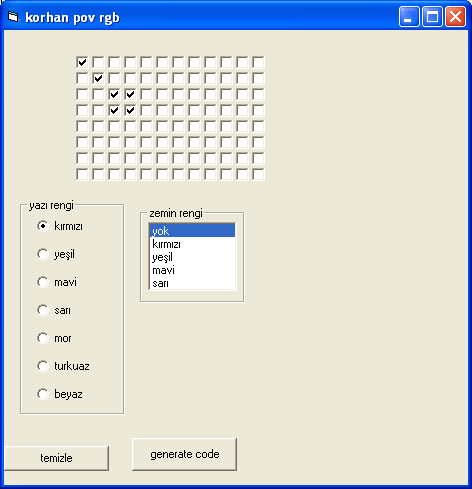
Text in Visual Basic to create and shape a program I wrote. I created the program code required for the formation of the shape and form of the sequence of the form C: \ rgb.txt and rgb1.txt also creates files. At first I was using direct sequence code to create text, but it was not enough memory of the bastard, I define the shape in series with the loop and I tried to show was a lot less space. My advice to use the resulting sequence into rgb1.txt. rgb1.txt extra consisting of 255 s 6 bytes deleted from the letter b Create a trailing space in the sense of a 255. Create combine writing letters. If you look at ccs c code can understand anyway. in each case that you create in the program to be inserted into the sequence rgb1.txt. Please note that there will not be deleted in the details.
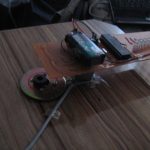
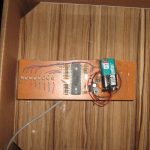
RGB Led proteus isis scheme of the project,Source: RGB LED AIR WRITING VISUAL BASIC CCS C PIC16F877 visual basic program and led ccs c code files: rgb-led-air-writing-visual-basic-ccs-c-pic16f877.rar
- What microcontroller is used in the project?
The project uses the PIC16F877 microcontroller. - How is the text pattern generated for air writing?
Text shapes are created by a Visual Basic program which outputs sequences into rgb.txt and rgb1.txt. - What programming language is used for the PIC code?
The PIC code is prepared using CCS C. - How many RGB LEDs are used in the project?
The project uses 8 RGB LEDs. - Why are rgb1.txt sequences recommended?
rgb1.txt uses a compressed sequence format to save PIC memory and is recommended for use. - What additional files are created by the Visual Basic generator?
The Visual Basic generator creates rgb.txt and rgb1.txt files with the sequence data. - Is there a simulation schematic available?
Yes, a Proteus ISIS schematic of the RGB LED project is provided. - What software tools are required?
The project uses Visual Basic for the generator, CCS C for PIC code, and Proteus ISIS for simulation.
